 PickPundit
📦 So wählen Sie die besten Grafikkarten aus: Komplette Kaufanleitung

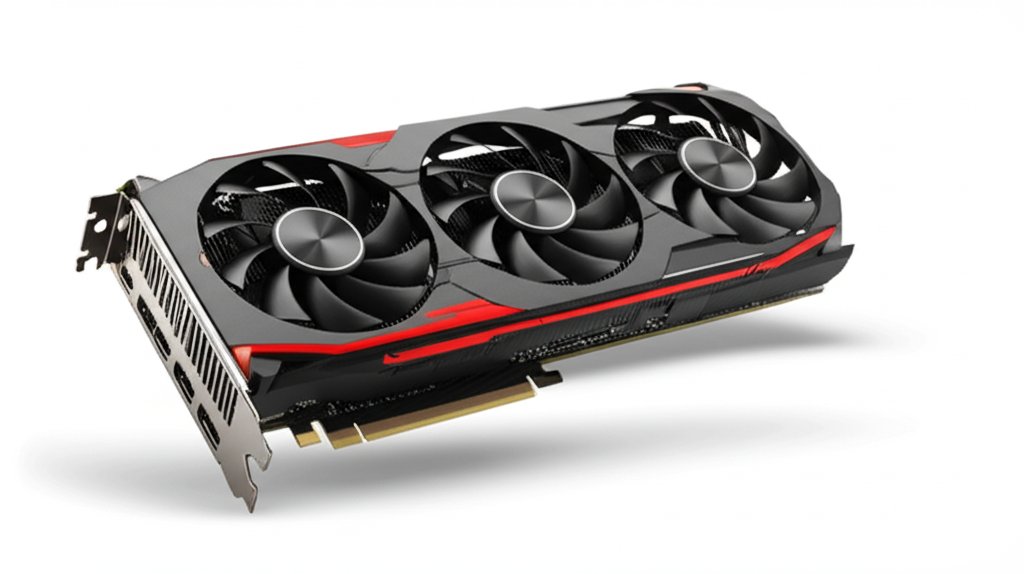
Complete graphics cards buying guide. Learn what features matter, compare top products, and find the best graphics cards for your budget.
View Top Picks →Table of Contents
Graphics Cards: Gaming Performance, Creator Workloads, and Power Requirements
Graphics cards determine gaming performance and accelerate creative workloads. Understanding specifications helps select appropriate cards for intended uses.
GPU Generations
Current generation (NVIDIA RTX 40-series, AMD RX 7000-series) offers best performance and efficiency.
Previous generation remains capable and often better value.
Older generations may lack features like ray tracing or DLSS.
Performance Tiers
Entry level ($150-250): 1080p gaming at medium-high settings.
Mid-range ($300-500): 1080p ultra or 1440p high settings.
High-end ($500-800): 1440p ultra or 4K high settings.
Enthusiast ($800-2000+): 4K ultra, highest frame rates.
VRAM Considerations
More VRAM handles higher resolutions and textures.
8GB is minimum for current gaming; 12GB+ for 4K and demanding games.
VRAM can't be upgraded—buy adequate capacity initially.
Ray Tracing
Hardware ray tracing enables realistic lighting effects.
Performance impact is significant without upscaling technology.
DLSS (NVIDIA) and FSR (AMD) offset ray tracing performance cost.
Power Requirements
Modern GPUs require significant power. Check PSU wattage and connectors.
12VHPWR connectors (600W+) on newest cards require compatible PSUs.
Underestimating power causes instability.
Physical Size
GPU length and height must fit case.
Measure case clearance before purchasing.
Thick cards (3-slot) may block adjacent slots.
Cooling Solutions
Dual and triple fan designs are most common.
Blower-style cards exhaust heat from case but run louder.
Aftermarket coolers may improve thermals on reference designs.
Creator Workloads
Video editing benefits from GPU acceleration.
CUDA cores (NVIDIA) accelerate many creative applications.
Professional features (certified drivers, ECC memory) exist in workstation cards.
Gaming Benchmarks
Match GPU capability to your monitor resolution and refresh rate.
Exceeding monitor capability wastes GPU potential.
Research specific game benchmarks for realistic expectations.
AMD vs NVIDIA
NVIDIA leads in ray tracing and upscaling technology.
AMD often provides better value at similar performance levels.
Software features (DLSS vs FSR, CUDA vs OpenCL) affect specific uses.
Buying Considerations
New cards include warranty and driver support.
Used cards may offer value but carry risk.
Check manufacturer warranty terms before purchasing.
Practical Recommendations
For 1080p gaming, mid-range cards ($200-350) handle most games at high settings.
For 1440p gaming, upper mid-range ($400-600) provides smooth experience.
Match GPU to rest of system—don't bottleneck with inadequate CPU or RAM.
Frequently Asked Questions
Worauf muss ich beim Grafikkartenkauf achten?
Zu den Schlüsselfaktoren gehören die Verarbeitungsqualität, die Benutzerbewertungen und das Preis-Leistungs-Verhältnis. Top-bewertete Optionen wie der PNY PNY PNY PNY NVIDIA GeForce RTX™ 5050 Dual-Fan (4.4★ aus 14 Bewertungen) zeigen, wie Qualität in dieser Kategorie aussieht.
Wie viel kosten Grafikkarten normalerweise?
Die Preise liegen zwischen 30 und 2960 US-Dollar, die meisten Qualitätsoptionen liegen bei 434 US-Dollar. Budgetoptionen unter 45 US-Dollar funktionieren für den gelegentlichen Gebrauch, während Premium-Modelle über 651 US-Dollar eine bessere Haltbarkeit und eine bessere Haltbarkeit bieten.
Welche Grafikkarten sind derzeit am beliebtesten?
Der PNY NVIDIA GeForce RTX™ 5050 Dual-Lüfter ist derzeit mit 4.4★ aus 14 überprüften Bewertungen bestbewertet. Überprüfen Sie unseren vollständigen Vergleich bei / best / graphics-cards für alle Top-Picks.


