PickPundit
📦 Cómo elegir los mejores fanáticos de los casos: Guía de compra completa

Complete case fans buying guide. Learn what features matter, compare top products, and find the best case fans for your budget.
View Top Picks →Table of Contents
Case Fans: Airflow Engineering for PC Cooling
Case fans move air through computer cases—bringing cool air in and pushing hot air out. Understanding fan sizes, PWM control, and static pressure helps configure cooling that keeps components comfortable without excessive noise.
Why Case Fans Matter
Airflow fundamentals:
Heat removal: Components generate heat. Air carries it away.
Fresh air supply: Cool intake air feeds CPU and GPU coolers.
Positive vs negative pressure: More intake = positive (dust control). More exhaust = negative (easier airflow).
Balanced approach: Typically 2-3 intake fans, 1-2 exhaust fans.
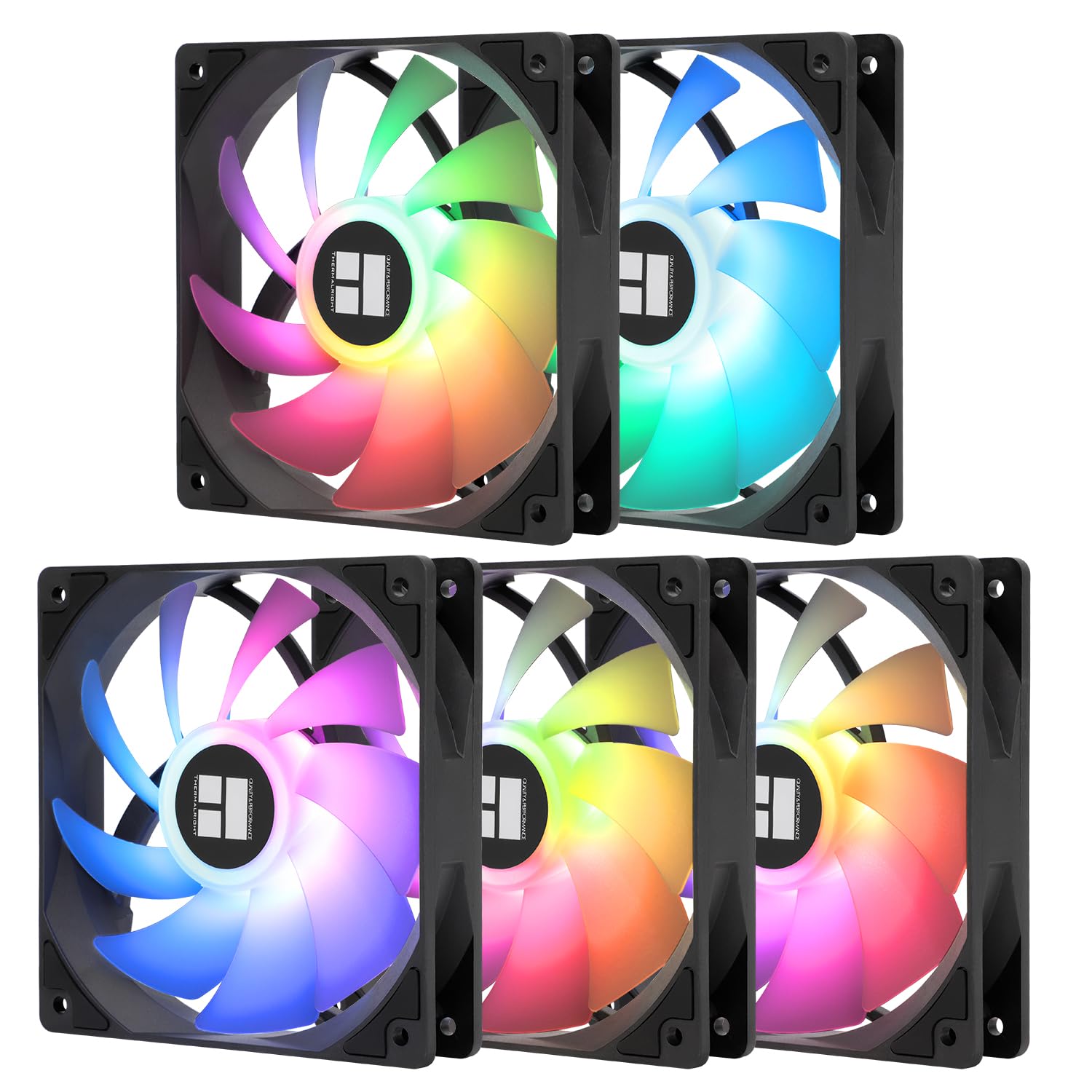
The Thermalright 5-pack provides complete system airflow setup.
Fan Sizes
Standard sizes and placement:
80mm: Compact cases, restricted spaces. Higher RPM, more noise.
120mm: Most common. Balance of airflow and noise. Standard case mounting.
140mm: More airflow at lower RPM. Quieter for equivalent cooling.
200mm+: Large, slow, quiet. Limited case compatibility.
Static Pressure vs Airflow
Two fan performance characteristics:
High airflow: Moves lots of air freely. Best for intake/exhaust through open space.
High static pressure: Pushes air through resistance. Best for radiators, heatsinks.
Balanced fans: Compromise for general use.
Where it matters: Radiator fans need static pressure. Case intake needs airflow.
PWM Control
Automatic speed adjustment:
PWM (4-pin): Motherboard controls speed based on temperature.
DC/Voltage (3-pin): Speed controlled by voltage. Less precise.
Benefits: Quiet at idle, fast when hot.
Motherboard headers: Limited fan headers. Splitters expand capacity.
The Noctua Standard
Premium fan reputation:
Noctua NF-P12 redux: High-performance at reasonable price.
Why Noctua reputation: Exceptional quality, quiet operation, long warranty.
Color: redux series addresses classic brown/tan color issue.
Price premium: Worth it for silence-focused builds.
RPM and Noise
Speed affects sound:
Lower RPM = quieter: Slower fans generate less noise.
Trade-off: Less airflow at lower speeds.
PWM benefit: High RPM when needed, low RPM normally.
Noise rating (dBA): Under 25 dBA quiet. Under 20 dBA near-silent.
RGB vs Performance
Aesthetics consideration:
RGB fans: Look impressive, sometimes compromise on performance.
Performance fans: Prioritize airflow and noise over appearance.
Hybrid options: Some fans balance both effectively.
Personal choice: Your PC, your priorities.
Fan Orientation
Which way do fans blow:
Intake: Arrow toward case interior. Fresh, cool air enters.
Exhaust: Arrow toward outside. Hot air exits.
Standard setup: Front/bottom intake, rear/top exhaust.
Natural convection: Hot air rises—top exhaust aligns with physics.
Bearing Types
What determines longevity and noise:
Sleeve bearings: Cheapest, shortest life, may develop noise.
Rifle bearings: Better than sleeve, reasonable longevity.
Ball bearings: Durable, may have slight hum.
Fluid dynamic (FDB): Quiet, long-lasting. Premium option.
SSO/MagLev: Premium bearing designs. Maximum lifespan.
Fan Configuration Examples
Common setups:
Minimal (2 fans): 1 front intake, 1 rear exhaust. Adequate for modest builds.
Standard (3-4 fans): 2 front intake, 1-2 exhaust. Good balance.
Maximum (5+ fans): Full intake and exhaust. Diminishing returns but maximum cooling.
Multi-Pack Value
The 5-pack approach:
Complete setup: Enough fans for full case configuration.
Matching aesthetics: Same fans throughout look cohesive.
Cost savings: Per-fan price significantly lower.
Spares: Replacements for future upgrades.
Installation Basics
Mounting fans properly:
Screw mounting: Standard. Rubber grommets reduce vibration.
Tool-less mounting: Some cases offer clips or slide mounts.
Cable routing: Hide cables for clean appearance.
Filter maintenance: Clean intake filters regularly.
Common Mistakes
Case fan errors:
All exhaust, no intake: Creates negative pressure, pulls dust everywhere.
Fans fighting each other: Adjacent fans in opposite directions.
Ignoring filters: Clogged filters block airflow.
Maximum speed always: Unnecessary noise without thermal benefit.
Practical Recommendations
For most builds: 3-4 quality 120mm PWM fans. Thermalright or equivalent.
For silence: Larger fans (140mm) at lower RPM. Noctua premium tier.
For airflow maximizing: 5-fan pack covering all mount points.
For restricted budgets: Arctic P12 provides excellent value.
The key insight: more fans has diminishing returns. Three quality fans configured properly often outperform six cheap fans. Focus on intake/exhaust balance and quality over quantity.
Frequently Asked Questions
¿Qué debo buscar al comprar ventiladores de cajas?
Los factores clave incluyen la calidad de construcción, las revisiones de los usuarios y la relación calidad-precio. Las opciones mejor valoradas como The Thermalight Thermalight 5 Pack TL-C12C-S Ventilador de CPU 120mm ARGB C (4.6★ de 459 reseñas) demuestran cómo se ve la calidad en esta categoría.
¿Cuánto cuestan normalmente los ventiladores de cajas?
Los precios oscilan entre $9 y $105, con la mayoría de las opciones de calidad alrededor de $33. Las opciones económicas de menos de $13 funcionan para uso ocasional, mientras que los modelos Premium de más de $50 ofrecen una mejor durabilidad y características.
¿Qué ventiladores de casos son más populares en este momento?
El ventilador de CPU 120mm ARGB de 5 unidades de 5 unidades de 5 unidades de 5 unidades de 5.0mm de 4.6★ de 459 revisiones verificadas. Consulte nuestra comparación completa en /Best/Case-Fans para todas las mejores selecciones.
⚖️ Quick Comparison
| Product | Price | Rating | Key Feature |
|---|---|---|---|
|
#1
|
$20.90 | Automatic Speed Control - Adjusts fan speed based on motherboard temperature, ma... | |
| $15.85 | High performance cooling fan, 120x120x25 mm, 12V, 4-pin PWM, max. 1700 RPM, max.... | ||
|
#3
|
$24.61 | Simplified Cable Management Only one cable is required per fan cluster, effectiv... |