PickPundit
📦 Cómo elegir los mejores monitores de juegos: guía de compra completa

Complete gaming monitors buying guide. Learn what features matter, compare top products, and find the best gaming monitors for your budget.
View Top Picks →Table of Contents
Gaming Monitors: Refresh Rates, Response Times, and Panel Technologies
Gaming monitors prioritize speed over color accuracy—fast refresh rates and low response times that make competitive gaming smoother. Understanding these specifications and panel technologies helps choose monitors matched to gaming style and GPU capability.
Refresh Rate Explained
How many times the screen updates:
60Hz: Standard. Adequate for casual gaming.
144Hz: Gaming standard. Noticeably smoother than 60Hz.
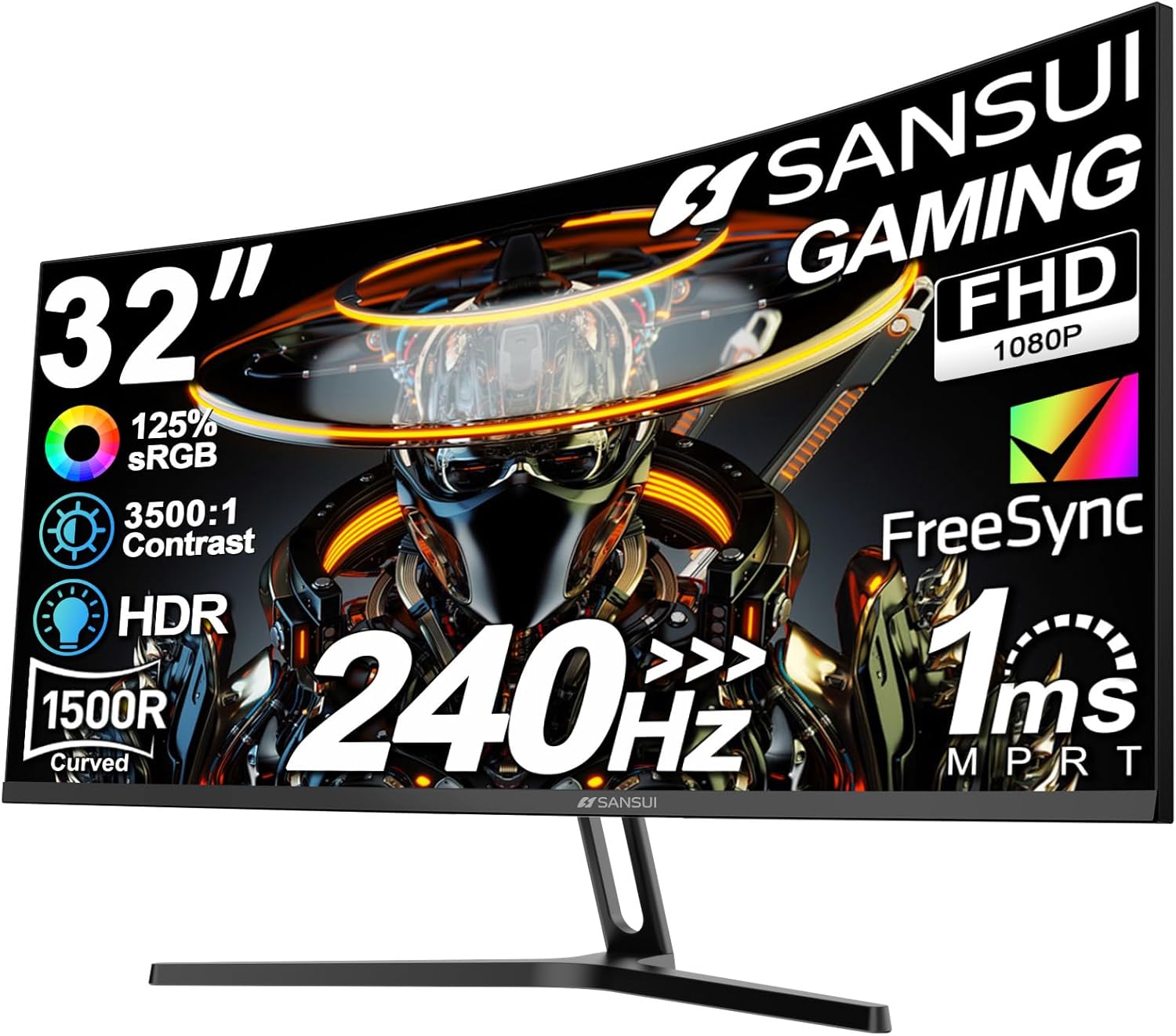
240Hz: Competitive gaming. The SANSUI 32" 240Hz option.
360Hz+: Extreme competitive. Diminishing returns for most.
GPU requirement: Higher refresh rates need more GPU power to utilize.
Response Time Reality
How fast pixels change:
Measured in milliseconds (ms): Lower is better.
1ms claims: Often optimistic. Real-world varies.
Ghosting: Slow response creates motion blur/trails.
Panel type affects: TN fastest, IPS improved, VA slowest.
Panel Technologies
Display technology trade-offs:
TN (Twisted Nematic): Fastest response, worst colors/viewing angles. Fading in gaming.
IPS (In-Plane Switching): Best colors, good viewing angles, historically slower (now competitive).
VA (Vertical Alignment): Best contrast, deeper blacks, slowest response, some smearing.
OLED: Perfect blacks, fast response, burn-in risk, expensive.
Resolution Options
Pixel density choices:
1080p (Full HD): Easier to drive, high refresh rates achievable.
1440p (QHD): Sweet spot for gaming. Good detail, reasonable GPU demand.
4K (UHD): Maximum detail, GPU-demanding for high refresh.
Ultrawide: Immersive, more screen real estate, compatibility varies.
Curved vs Flat
Screen shape preference:
Curved advantages: More immersive, reduces edge distortion on large screens.
Flat advantages: Better for non-gaming work, no curve distortion.
Size consideration: Curves make more sense on 27"+.
Personal preference: Try before buying if possible.
Adaptive Sync
Matching GPU and monitor:
G-Sync (NVIDIA): NVIDIA proprietary. Premium cost.
FreeSync (AMD): Open standard, widely supported.
G-Sync Compatible: FreeSync monitors certified for NVIDIA.
What it does: Eliminates screen tearing, reduces stutter.
Size Sweet Spots
Monitor dimensions:
24-25": Competitive gaming standard. Full screen visible.
27": Popular balance of size and viewability.
32": The Sceptre 24.5" and SANSUI 32" represent different sizes.
34"+ ultrawide: Immersive single-player, productivity boost.
HDR Gaming
High Dynamic Range considerations:
HDR400: Entry level. Minimal real HDR benefit.
HDR600: Noticeable improvement.
HDR1000+: True HDR experience.
Panel limitations: LCD HDR can't match OLED HDR.
Input Lag
Delay between input and display:
Different from response time: Total delay from action to screen.
Gaming modes: Reduce processing for lower input lag.
Competitive importance: Matters most in fast-paced competitive games.
Practical Recommendations
For competitive gaming: 24-27" 1080p 144Hz+ IPS or TN. SANSUI 240Hz tier for serious competition.
For immersive gaming: 27-32" 1440p 144Hz+ IPS or VA.
For future-proofing: 4K monitor with high refresh if GPU supports it.
For budget: 1080p 144Hz provides significant upgrade over 60Hz affordably.
The key insight: match monitor capability to GPU capability. A 240Hz monitor paired with a GPU that can't push 240fps wastes potential. 144Hz is the practical sweet spot for most gamers.
Frequently Asked Questions
¿Qué debo buscar al comprar monitores de juegos?
Los factores clave incluyen la calidad de construcción, las revisiones de los usuarios y la relación calidad-precio. Opciones de mayor valor como Sansui Sansui 32 pulgadas curvada 240Hz Monitor de juegos High Re (4.4★ de 3.394 reseñas) Demuestre cómo se ve la calidad en esta categoría.
¿Cuánto cuestan los monitores de juegos normalmente?
Los precios oscilan entre $56 y $230, con la mayoría de las opciones de calidad alrededor de $105. Las opciones económicas de menos de $84 funcionan para uso ocasional, mientras que los modelos Premium de más de $158 ofrecen una mejor durabilidad y características.
¿Qué monitores de juegos son más populares en este momento?
El Sansui 32 pulgadas curvado 240Hz La alta frecuencia de actualización de Gaming Monitor está actualmente en la mejor categoría con 4.4★ de 3.394 reseñas verificadas. Consulte nuestra comparación completa en /Best/Gaming-Monitors para conocer todas las mejores selecciones.