 PickPundit
🎤 Comment choisir les meilleurs microphones : guide d'achat complet

Complete microphones buying guide. Learn what features matter, compare top products, and find the best microphones for your budget.
View Top Picks →Table of Contents
Microphones: USB Simplicity vs XLR Quality
Microphones capture audio for streaming, podcasting, meetings, and recording. Understanding connection types, pickup patterns, and what separates adequate from excellent helps choose microphones matched to actual audio needs.
USB vs XLR Connection
Fundamental choice:
USB microphones: Plug directly into computer. Built-in audio interface.
XLR microphones: Require separate audio interface. More flexibility, higher quality potential.
For beginners: USB simplicity often wins.
For growing creators: XLR allows upgrading components individually.
The FIFINE USB microphone represents accessible entry-level audio.
Microphone Types
Different designs for different uses:
Condenser: Sensitive, detailed. Best for quiet environments.
Dynamic: Less sensitive, rejects background noise. Broadcast standard.
Ribbon: Warm, vintage sound. Fragile, specialized.
USB condensers: Most common for content creation.
Pickup Patterns
How microphones hear:
Cardioid: Front-focused. Rejects rear sound. Most common for speech.
Omnidirectional: Hears all directions. Room sound, group recording.
Bidirectional/Figure-8: Front and back. Interviews facing each other.
Selectable patterns: Some microphones offer multiple patterns.
Room Treatment Reality
Environment affects quality:
Untreated rooms: Echo and reverb audible.
Acoustic treatment: Panels, blankets reduce reflections.
Dynamic advantage: Reject background noise better than condensers.
Closet recording: Popular improvised vocal booth.
Desktop vs Boom Arm
Positioning options:
Desktop stand: Simple, included with many USB mics. Picks up desk vibration.
Boom arm: Positions mic optimally, reduces desk noise.
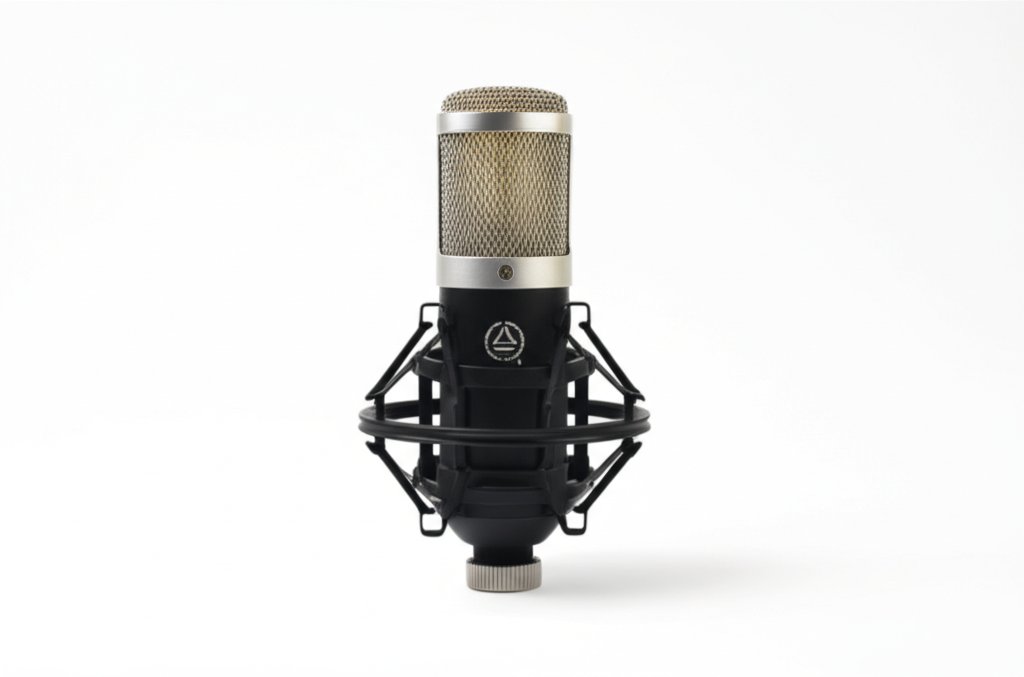
Shock mount: Isolates mic from vibration.
Pop filter: Reduces plosive sounds (P, B).
Gain and Volume
Input levels:
Gain control: Amplifies microphone signal. Too high = noise/distortion.
On-mic gain: Convenient. Some USB mics include.
Software gain: Adjusted in recording software or system settings.
Proper levels: Should peak around -6 to -12dB.
Sample Rate and Bit Depth
Audio quality specifications:
44.1kHz/16-bit: CD quality. Adequate for most.
48kHz/24-bit: Video standard. Preferred for content creation.
Higher rates: Diminishing returns for speech.
Monitoring Features
Hearing yourself:
Headphone jack: Listen to mic input directly.
Zero-latency monitoring: No delay between speaking and hearing.
Mix control: Balance between mic and computer audio.
Background Noise Handling
Managing environmental sound:
Cardioid rejection: Rear sound reduced.
Noise gates: Cut audio below threshold.
Software processing: RTX Voice, Krisp, Adobe Podcast.
Dynamic microphones: Better natural noise rejection.
Price vs Quality
What different budgets buy:
Under $50: Basic functionality. FIFINE tier.
$50-100: Quality USB microphones. Good for most content.
$100-200: Premium USB or entry XLR.
$200+: Professional quality. XLR recommended.
Practical Recommendations
For Zoom calls: Even basic USB microphone dramatically improves over laptop mic.
For streaming/podcasting: Quality USB microphone ($50-100 range).
For serious content: XLR microphone with audio interface.
For all users: Proper positioning matters more than microphone price.
The key insight: microphone technique and positioning affect quality more than equipment price. A properly positioned $50 microphone often sounds better than an improperly used $300 microphone.
Frequently Asked Questions
Que dois-je rechercher lors de l'achat de microphones ?
Les facteurs clés comprennent la qualité de construction, les avis des utilisateurs et le rapport qualité-prix. Les options les mieux notées comme le microphone USB FIFINE FIFINE (4,5★ à partir de 27 730 avis) démontrent à quoi ressemble la qualité dans cette catégorie.
Combien coûtent généralement les microphones ?
Les prix varient de 10 $ à 269 $, avec la plupart des options de qualité autour de 70 $. Les options économiques inférieures à 15 $ fonctionnent pour une utilisation occasionnelle, tandis que les modèles premium de plus de 105 $ offrent une meilleure durabilité et des fonctionnalités.
Quels microphones sont les plus populaires en ce moment ?
Le microphone USB FIFINE est actuellement le mieux noté avec 4,5 ★ à partir de 27 730 avis vérifiés. Consultez notre comparaison complète sur /best/microphones pour tous les meilleurs choix.
⚖️ Quick Comparison
| Product | Price | Rating | Key Feature |
|---|---|---|---|
| $29.99 | Convenient Setup - Plug and play USB microphone with a 5.9-foot cable for easy c... | ||
| $9.99 | HIGH SENSITIVITY for CLEAR CALL - This portable USB microphone adpots a 6*10mm h... | ||
| $57.99 | USB/XLR Connectivity-AM8T comes with a dynamic microphone and a boom arm stand. ... |


