 PickPundit
📦 How to Choose the Best Computer Cases: Complete Buying Guide

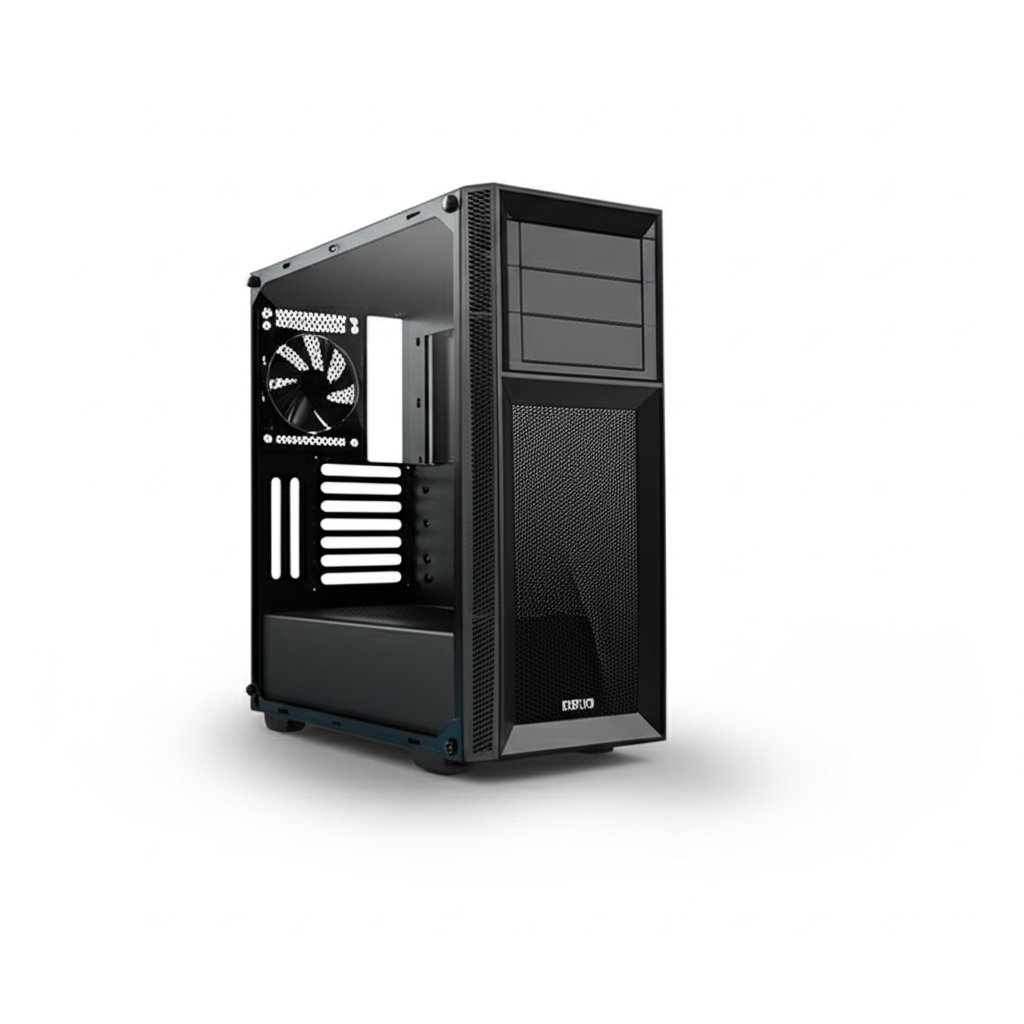
Complete computer cases buying guide. Learn what features matter, compare top products, and find the best computer cases for your budget.
View Top Picks →Table of Contents
Computer Cases: Form Factor, Airflow, and Building Reality
Computer cases range from $40 budget enclosures to $300+ enthusiast showcases, with selection depending on component requirements, build skills, and aesthetic preferences. Understanding case specifications prevents the frustration of parts that don't fit and helps prioritize features that actually affect system performance and building experience.
Form Factor Basics
Case sizes determine compatible components:
Full Tower cases accommodate any components including extended ATX motherboards and multiple graphics cards. They're massive (20+ inches tall), heavy, and overkill for most builds.
Mid Tower cases (like the be quiet! Pure Base 501 at $85 and GAMDIAS at $47) represent the mainstream sweet spot. They fit ATX motherboards, standard graphics cards, and most CPU coolers while remaining manageable in size.
Mini Tower/Micro ATX cases use smaller motherboards, limiting expansion but saving desk space.
Mini ITX cases provide compact builds requiring specific component selection and cable management skills.
For first-time builders, mid tower cases provide the easiest building experience with maximum component compatibility.
Motherboard Compatibility
Cases specify supported motherboard sizes:
ATX (12" x 9.6") is standard for full-featured builds with multiple expansion slots.
Micro ATX (9.6" x 9.6") reduces size with fewer expansion slots—adequate for most users.
Mini ITX (6.7" x 6.7") enables compact builds with limited expandability.
Extended ATX (12" x 13") is for workstation boards—most cases don't support EATX.
Larger cases support smaller motherboards but not vice versa. ATX cases accept Micro ATX and Mini ITX boards with empty mounting space.
GPU Clearance
Modern graphics cards can be massive:
GPU length is the critical measurement. High-end cards exceed 12 inches. The HAVN BF 360 at $200 emphasizes high-airflow design accommodating large GPUs.
GPU thickness affects slot clearance. Some cards occupy 2.5-3 expansion slots.
GPU sag becomes an issue with heavy cards. Some cases include GPU support brackets.
Always verify case GPU clearance against intended graphics card specifications. RTX 4090 and similar cards require cases designed for oversized components.
CPU Cooler Clearance
Tower coolers require vertical space:
Standard clearance (160-165mm) accommodates most tower coolers.
Limited clearance (under 155mm) restricts cooler options.
AIO liquid cooling clearance depends on radiator mounting positions rather than tower height.
Budget cases often compromise cooler clearance—verify specifications before purchasing tower coolers.
Airflow vs Aesthetics
Case design involves trade-offs:
Mesh front panels maximize airflow but may compromise sound dampening.
Solid front panels with limited vents prioritize appearance over cooling.
Tempered glass panels showcase components but don't breathe.
RGB and lighting adds visual appeal and price without improving performance.
The HAVN BF 360's "high airflow" positioning prioritizes cooling. The be quiet! Pure Base emphasizes quiet operation. Different priorities suit different uses.
Included Fans and Expansion
Fan pre-installation varies:
Included fans save purchasing fans separately but may be lower quality than aftermarket options.
Fan mount positions indicate cooling potential. More mounting positions enable better airflow configurations.
Fan sizes (120mm, 140mm, etc.) affect noise and airflow. Larger fans move more air at lower RPM, running quieter.
The be quiet! Pure Base 501 includes 2 quiet fans; enthusiasts may add more based on cooling needs.
Cable Management
Quality cases simplify building:
Routing cutouts allow cables to pass behind motherboard trays.
Cable tie points secure cables in organized configurations.
PSU shrouds hide power supply and excess cables below the motherboard.
Cable management space behind the motherboard tray varies—deeper space simplifies organization.
Budget cases often sacrifice cable management features, making builds messier and airflow worse.
Storage Options
Cases accommodate different storage configurations:
3.5" bays for traditional hard drives.
2.5" bays/mounts for SSDs.
M.2 considerations are handled by motherboards, not cases.
Modern builds often need fewer storage bays as M.2 SSDs replace traditional drives. Many current cases reduce 3.5" bays accordingly.
Build Quality Indicators
Construction quality varies by price:
Steel thickness affects rigidity and resonance. Thicker steel (0.7mm+) reduces panel flex and vibration noise.
Panel fit quality determines rattles and build appearance.
Sharp edges indicate poor manufacturing—quality cases have rolled or finished edges.
Feet and mounting stability affects desk positioning.
The be quiet! Pure Base 501 at $85 represents quality construction. Budget cases at $40-50 may sacrifice build quality.
Front Panel Connectivity
I/O panel features vary:
USB 3.0/USB-C ports provide convenient front access for peripherals.
Audio jacks for headphones and microphones.
USB 2.0 ports remain useful for keyboards and mice.
Verify front panel connectivity matches your needs—missing USB-C may be inconvenient if you use modern peripherals.
Radiator Support
Liquid cooling requires specific mounting:
Radiator sizes (120mm, 240mm, 280mm, 360mm) indicate cooling capacity.
Top, front, and bottom mounting positions provide radiator placement options.
Clearance conflicts may arise between radiators and RAM, motherboard components, or GPU length.
Air cooling builds don't need radiator support, but future upgrade potential may favor radiator-compatible cases.
Noise Considerations
Case design affects system noise:
Sound dampening materials absorb noise from fans and components.
Mesh panels allow sound to escape more freely.
Fan mounting isolation prevents motor vibration from transmitting to case panels.
Acoustic optimization (be quiet! specialty) designs cases specifically for quiet operation.
Practical Recommendations
For first builds: Mid tower cases with ATX support, good cable management, and adequate airflow ($50-100). Avoid the cheapest options that complicate building.
For quiet systems: Cases from be quiet!, Fractal Design, or similar manufacturers emphasizing acoustic design.
For high-performance cooling: Mesh-heavy cases like the HAVN BF 360 prioritizing airflow over noise or appearance.
For compact builds: Mini ITX cases require more planning—verify all component compatibility before purchasing.
For show builds: Tempered glass cases with RGB support for visible components, accepting potential thermal trade-offs.
The honest assessment: case quality matters more for building experience than system performance. Adequate airflow from even budget cases handles most builds—but building in quality cases is significantly more pleasant.
Frequently Asked Questions
What should I look for when buying computer cases?
Key factors include build quality, user reviews, and value for money. Top-rated options like the be quiet! be quiet! Pure Base 501 Black PC case | 2 Preinsta (4.6★ from 1,731 reviews) demonstrate what quality looks like in this category.
How much do computer cases typically cost?
Prices range from $11 to $200, with most quality options around $66. Budget options under $17 work for occasional use, while premium models over $99 offer better durability and features.
Which computer cases are most popular right now?
The be quiet! Pure Base 501 Black PC case | 2 Preinstalled Quiet is currently top-rated with 4.6★ from 1,731 verified reviews. Check our full comparison at /best/computer-cases for all top picks.


