PickPundit
📦 כיצד לבחור את המקלדת הטובה ביותר מתחת ל-$100: מדריך קנייה מלא

Complete keyboard under $100 buying guide. Learn what features matter, compare top products, and find the best keyboard under $100 for your budget.
View Top Picks →Table of Contents
Keyboards Under $100: Quality Mechanical and Feature-Rich Options
The sub-$100 market offers legitimate mechanical keyboards, ergonomic designs, and full-featured options. Understanding what this budget enables helps select effective keyboards.
What $100 Buys
Entry-level and mid-range mechanical keyboards.
Quality ergonomic membrane keyboards.
Full-featured wireless options.
Gaming keyboards with features.
Mechanical Keyboard Value
Quality mechanical switches available at this price.
Cherry MX alternatives from Gateron, Kailh, Outemu.
Hot-swappable switches on some models.
Solid typing experience possible.
Switch Type Selection
Linear switches (Red equivalents): smooth, quiet-ish.
Tactile switches (Brown equivalents): bump feedback.
Clicky switches (Blue equivalents): loud, distinct.
Personal preference matters more than brand.
Wired Mechanical Options
Numerous quality options in $50-100 range.
Keychron, GMMK, Ducky entry models.
Full-size, TKL, and compact layouts.
Customization potential included.
Wireless at This Price
Quality Bluetooth mechanical keyboards available.
Keychron K series popular choice.
Multi-device pairing common.
Battery life varies—check specifications.
Gaming Keyboard Options
RGB lighting with customization.
Macro programming capabilities.
Gaming-focused features (anti-ghosting, polling rates).
Brand entry-level models.
Ergonomic Options
Split keyboard designs begin here.
Ergonomic membrane keyboards.
Quality Microsoft and Logitech ergonomic options.
Health-focused designs available.
Build Quality Expectations
Solid plastic construction typical.
Some aluminum options appearing.
Quality varies within price range.
Research specific models before buying.
Keycap Quality
Stock keycaps adequate but upgradeable.
ABS plastic common; PBT better.
Aftermarket keycaps fit standard switches.
Keycap upgrade potential matters for enthusiasts.
Hot-Swap Capability
Some keyboards allow switch swapping without soldering.
Try different switches without new keyboard.
Valuable for discovering preferences.
Common at this price in enthusiast brands.
Brand Considerations
Mainstream brands: Logitech, Razer, Corsair entry models.
Enthusiast brands: Keychron, GMMK, Ducky.
Each segment has quality options.
Practical Recommendations
For mechanical introduction, Keychron or GMMK entry keyboards ($60-90) provide excellent starting points.
For gaming, entry-level gaming keyboards ($50-90) include gaming-specific features.
For ergonomics, Logitech or Microsoft ergonomic keyboards ($50-80) prioritize comfort.
Research specific models—quality varies significantly within this price range.
Frequently Asked Questions
מה עלי לחפש בקניית מקלדת מתחת ל-100?
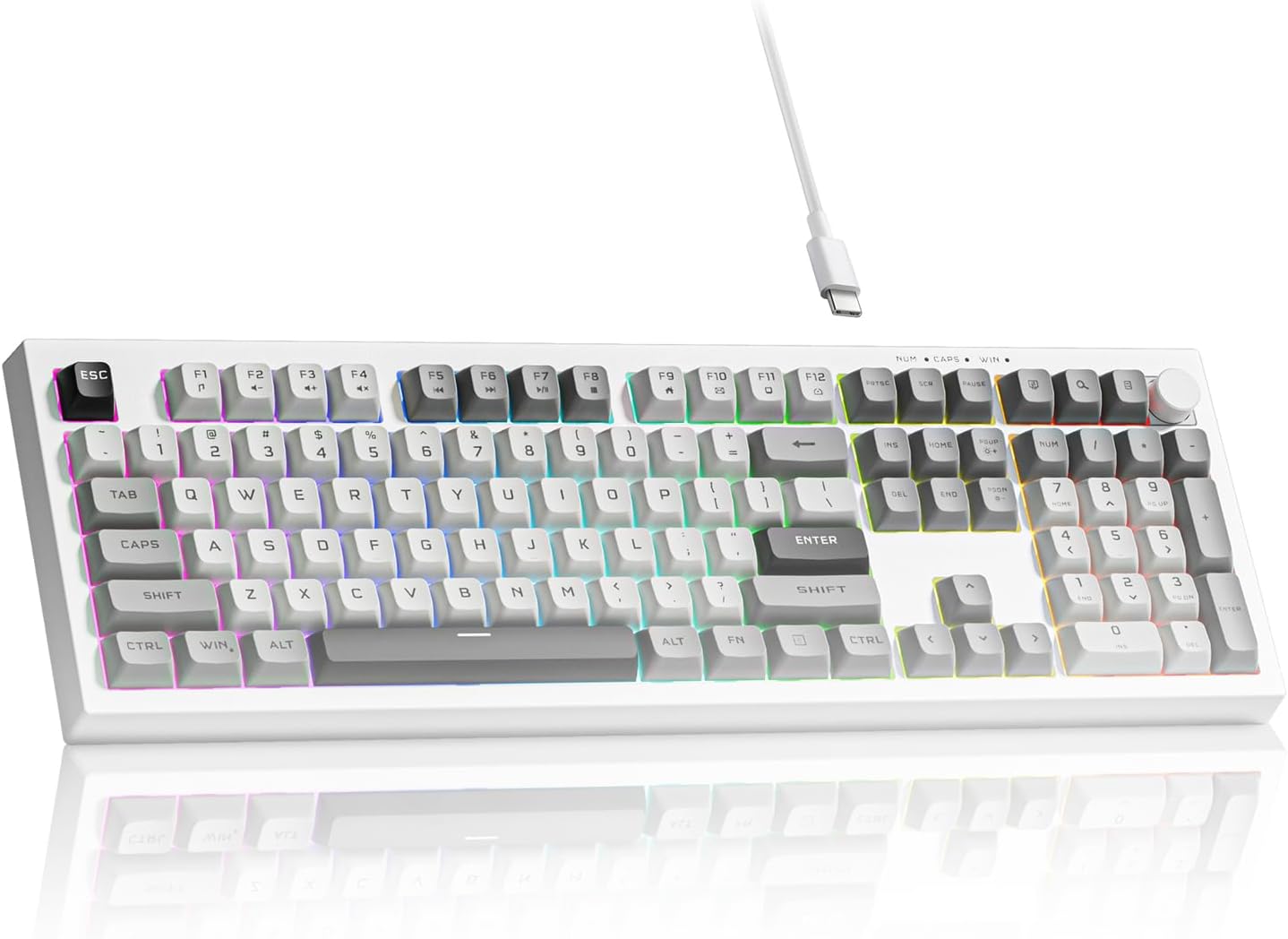
גורמים מרכזיים כוללים איכות בנייה, ביקורות משתמשים ותמורה לכסף. אפשרויות בדירוג הגבוה ביותר כמו מקלדת המשחקים הממברנה Klymra Womier K105 (4.6★ מתוך 12 ביקורות) מדגימות איך נראית איכות בקטגוריה זו.
כמה עולה בדרך כלל מקלדת מתחת ל-100?
המחירים נעים בין 17 ל-260 דולר, עם רוב האפשרויות האיכותיות בסביבות 65 דולר. אפשרויות תקציב מתחת ל-$25 עובדות לשימוש מזדמן, בעוד שדגמי פרימיום מעל $98 מציעים עמידות ותכונות טובות יותר.
איזו מקלדת מתחת ל-100 היא הפופולרית ביותר כרגע?
מקלדת המשחקים של Womier K105 Membrane מדורגת כרגע עם 4.6★ מתוך 12 ביקורות מאומתות. בדוק את ההשוואה המלאה שלנו ב-/best/keyboard-under 100 עבור כל הבחירות המובילות.
⚖️ Quick Comparison
| Product | Price | Rating | Key Feature |
|---|---|---|---|
| $29.99 | 26 Key Anti-Ghosting - Ensures accurate registration of every keystroke for gami... | ||
|
#2
|
$35.99 | Compact 66-Key Layout with Volume Knob - Features a space-saving 60% design that... | |
| $259.95 | Hand-Painted Limited Edition Design – Vibrant Neon Graffiti artwork meets a CNC-... |