PickPundit
📦 How to Choose the Best Drawing Tablets: Complete Buying Guide

Expert guide to choosing the best drawing tablets. Compare features, prices, and find the perfect option for your needs.
View Top Picks →Table of Contents
Buying Guide for Drawing Tablets
Imagine this: you're an aspiring digital artist, eager to bring your creative visions to life. You've decided to invest in a drawing tablet, but as you dive into the world of options, you quickly realize the sheer variety can be overwhelming. Fear not! We're here to help guide you through the process, ensuring you find the perfect drawing tablet to suit your needs and budget.
Price Ranges: Budget vs. Premium Options
When it comes to drawing tablets, prices can vary significantly based on features, brand, and specifications. Here's a breakdown to help you navigate the options:
Budget Options ($50 - $150): These tablets are perfect for beginners or hobbyists. They typically offer decent functionality without breaking the bank. For instance, the UGEE M708 V2 is priced at $42.49 and provides a 10x6 inch active area, which is ample for most basic needs. With a 4.3-star rating, it's praised for its affordability and user-friendly setup, making it an excellent entry-level choice.
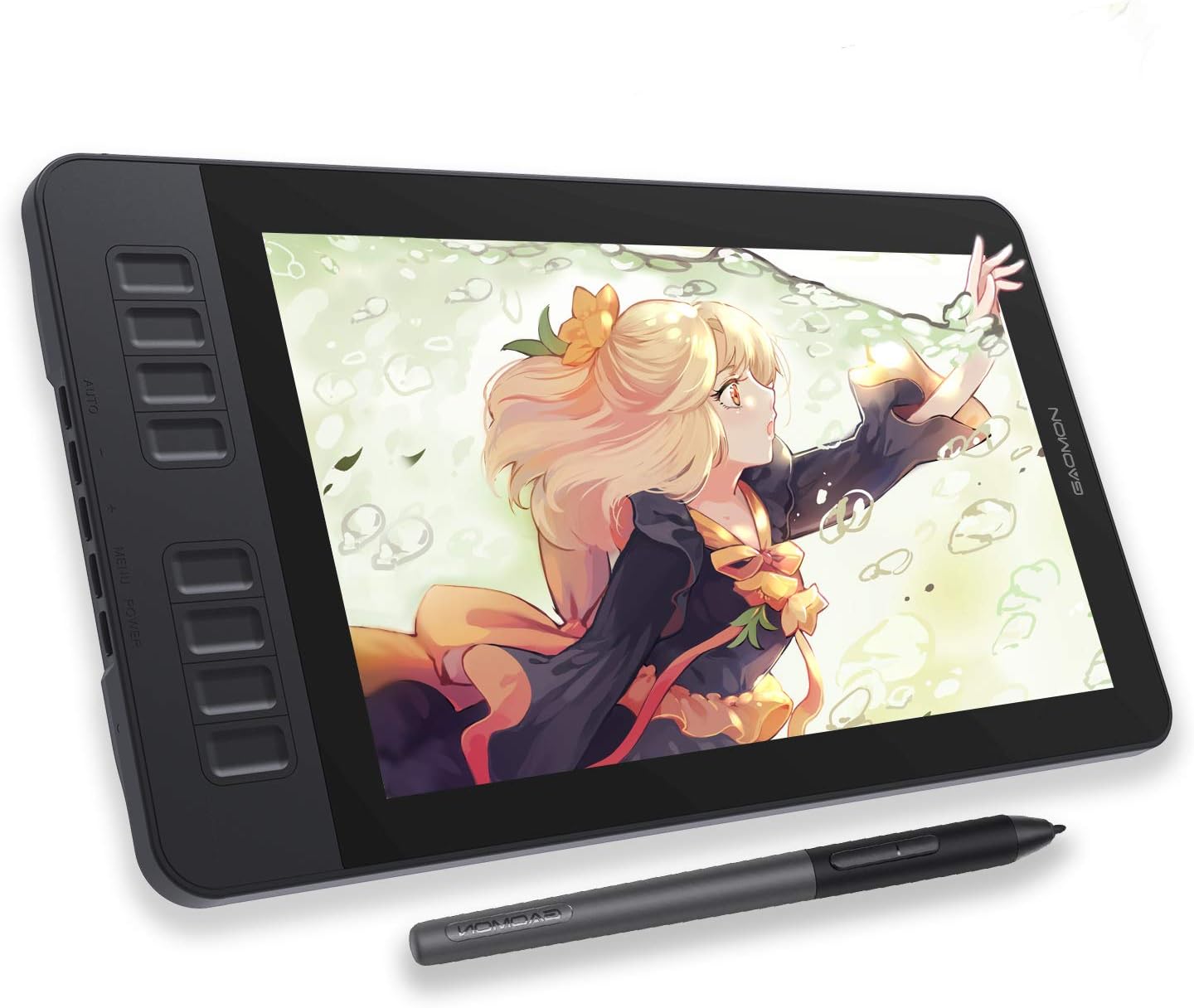
Mid-Range Options ($150 - $300): These tablets often include additional features like screens or improved pressure sensitivity, suitable for intermediate artists. The GAOMON PD1161, priced at $159.99, is a great example. It features an 11.6-inch screen and a 4.3-star rating, offering a solid balance between performance and cost.
Premium Options ($300+): These are designed for professionals who require high precision and advanced features. While our highlighted products don't fall into this range, options like the Wacom Cintiq series are well-known among professional circles for their quality and reliability.
Key Features to Consider
When choosing a drawing tablet, it's essential to prioritize features that align with your artistic needs:
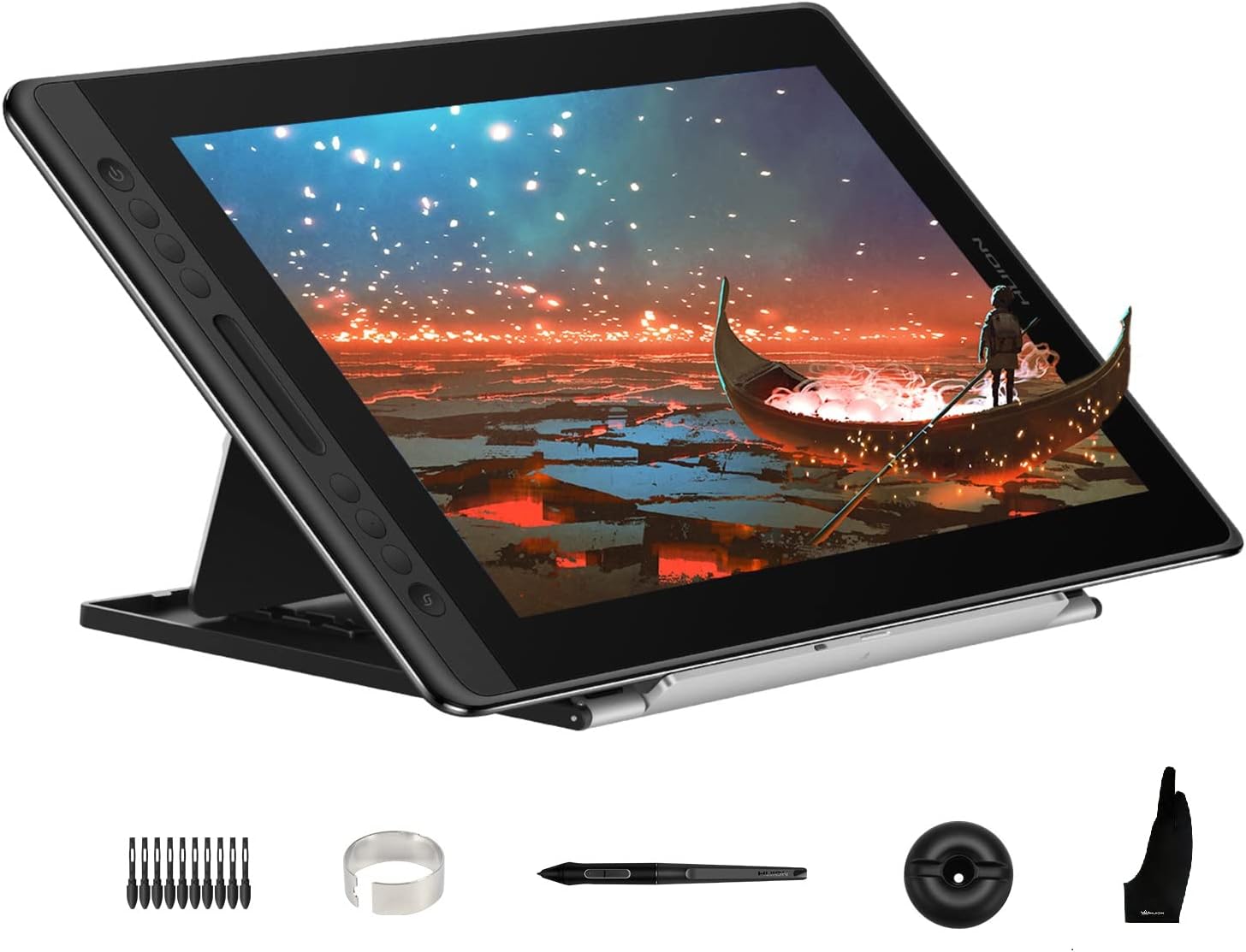
Display vs. Non-Display Tablets: Display tablets, like the HUION Kamvas Pro 16, allow you to draw directly on the screen, providing a more intuitive experience. Non-display tablets, such as the UGEE M708 V2, require a separate monitor, which can be less costly but may have a steeper learning curve for beginners.
Pressure Sensitivity: Measured in levels, higher pressure sensitivity (e.g., 8192 levels) allows for more nuanced control over line thickness and opacity. Both the HUION Kamvas Pro 16 and GAOMON PD1161 offer high pressure sensitivity, enhancing precision for detailed work.
Size and Portability: Consider the active drawing area and overall size. Smaller tablets are more portable but might feel cramped for detailed work. The HUION Kamvas Pro 16 offers a generous 15.6-inch display, suitable for more expansive projects.
Compatibility: Ensure the tablet is compatible with your operating system (Windows, macOS, etc.) and preferred drawing software (Adobe Photoshop, Corel Painter, etc.).
Additional Features: Look for extras like customizable shortcut keys, tilt recognition, and multi-touch support, which can enhance workflow efficiency.
Common Pitfalls to Avoid
To ensure a satisfying purchase, be mindful of these common pitfalls:
Ignoring System Compatibility: Double-check that the tablet is compatible with your computer's operating system and the software you intend to use. This can save you from potential frustration post-purchase.
Overlooking Ergonomics: Consider how the tablet's design will affect your comfort during prolonged use. Adjustable stands or ergonomic designs can significantly improve your experience.
Assuming Higher Price Equals Better Quality: While premium options offer advanced features, a higher price doesn't always mean better quality for your specific needs. Assess what features are truly necessary for your art style.
What Real Customers Say
Understanding real customer experiences can provide invaluable insights:
HUION Kamvas Pro 16: Customers appreciate its vibrant display and professional-grade performance, especially at its price point of $270.74. However, some users mention driver issues, which can be resolved with proper installation and updates.
UGEE M708 V2: Users praise its affordability and ease of use, making it a popular choice for beginners. Some mention the lack of a screen as a downside, but it's generally accepted as a trade-off for its low price.
GAOMON PD1161: This model receives positive reviews for its compact size and good screen quality. Customers have noted occasional driver issues but commend its overall value for money.
Final Recommendations
Choosing the right drawing tablet ultimately depends on your individual needs and budget. Here's a quick summary to help you decide:
For Beginners or Hobbyists: The UGEE M708 V2 offers excellent value for those just starting. Its affordability and ease of use make it a solid choice for learning the ropes.
For Intermediate Artists: The GAOMON PD1161 provides a balance of features and price, perfect for those looking to step up from entry-level options without committing to a high-end model.
For Professionals or Serious Artists: The HUION Kamvas Pro 16 stands out with its large, vibrant display and professional features, suitable for detailed projects and intensive use.
By considering your needs and budget, and armed with insights from real users, you're well-equipped to make an informed decision. Happy creating!
⚖️ Quick Comparison
| Product | Price | Rating | Key Feature |
|---|---|---|---|
| $270.74 | Outstanding Visuals - Enjoy immersive viewing with a 15.6-inch full-laminated sc... | ||
| $42.49 | Drawing Tablet Compatibility - Supports connections with Android 6.0 or later, M... | ||
| $159.99 | Connection Required - GAOMON PD1161 drawing tablet must be connected to a laptop... |