 PickPundit

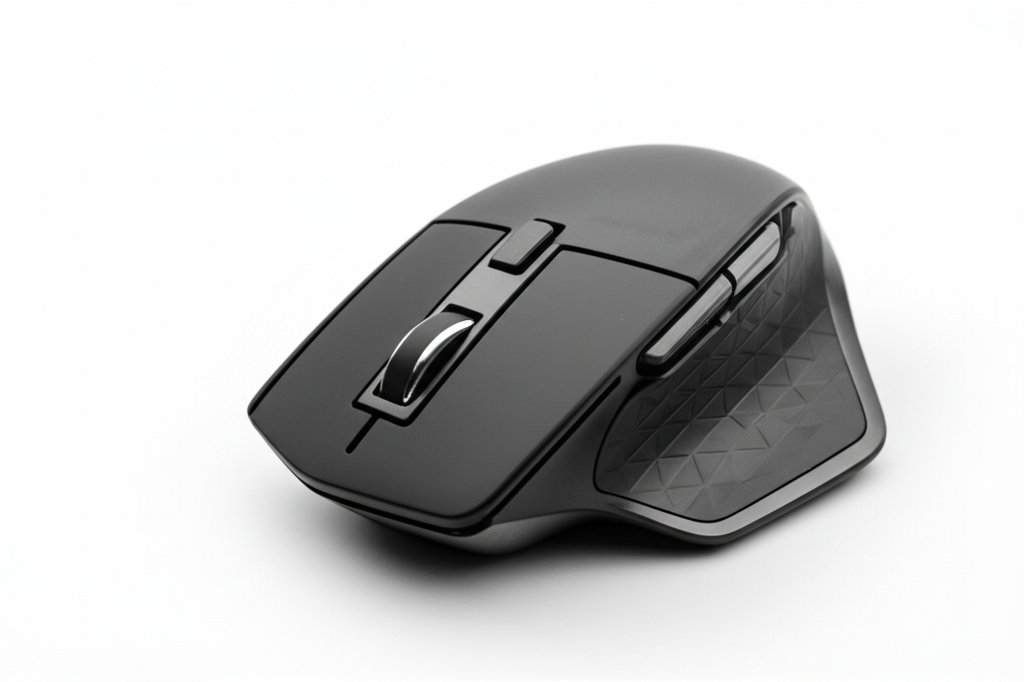
Complete wireless mice buying guide. Learn what features matter, compare top products, and find the best wireless mice for your budget.
View Top Picks →Table of Contents
Wireless Mice: The $10 vs $100 Sensor Precision for Non-Gamers
Wireless mouse reviews from office workers question: "Using $12 Logitech wireless mouse for years, works perfectly. Why would I pay $100 for gaming mouse when I don't game?"
The sensor precision, polling rate, and DPI adjustment features commanding premium pricing provide zero benefit for office work (documents, browsing, spreadsheets). Understanding this prevents overpaying for unused capability.
The Optical vs Laser Sensor Accuracy
Optical sensors: Track well on most surfaces, struggle on glass/glossy surfaces, adequate precision for general use.
Laser sensors: Track on all surfaces including glass, higher precision, more expensive.
For desk use on mouse pad or wood/fabric surface, optical sensors work perfectly. For glass desk or no-mousepad use, laser sensors necessary.
The gaming-grade optical sensors ($60-150) provide precision useful only for gaming (tracking microscopic movements for headshot accuracy). For moving cursor to click buttons, budget optical sensor ($10-30) performs identically.
The Battery Life AA vs Rechargeable
AA battery mice: 6-24 month battery life typical, swap batteries when dead, no charging cables, slightly heavier.
Rechargeable mice: USB charging (wired while charging), built-in lithium battery, lighter weight. Also: battery degrades over 2-3 years requiring replacement or disposal, must remember to charge.
The convenience preference: AA provides swap-and-continue simplicity. Rechargeable eliminates battery purchasing but adds charging routine.
For office desk where mouse stays in one location, rechargeable's charging station creates no inconvenience. For portable use (laptop travel), AA batteries prevent the forgot-charging-cable situation.
The Ergonomic vs Standard Shape Comfort
Standard symmetric mice: Work for right or left hand, adequate for most users, cheaper.
Ergonomic contoured mice: Sculpted for hand shape, reduce wrist strain, often right-hand only, more expensive.
Vertical mice: Wrist in handshake position reducing pronation strain, require adaptation period, prevent repetitive strain injuries for heavy users.
The ergonomic premium ($40-100 versus $15-30 standard) justifies for users experiencing wrist pain or spending 6+ hours daily mousing. For casual use without pain, standard shapes adequate.
The adaptation period for ergonomic/vertical mice (1-2 weeks feeling awkward) causes some returns during trial period before benefits appear. Persisting through adaptation required for ergonomic advantages.
Framework
Basic office use ($12-25): Standard optical wireless with AA batteries, adequate precision for productivity, years of reliable service.
Ergonomic health ($40-80): Contoured or vertical design for wrist strain prevention, for heavy users or existing pain.
Portable laptop ($20-40): Compact size, AA batteries (no charging cable to pack), works on various surfaces.
Gaming ($60-150): High DPI, adjustable polling rate, precision sensor, programmable buttons - capabilities unused for office work.
Multi-device ($50-100): Bluetooth switching between 2-3 devices, for users switching between computer/tablet/multiple machines.
The wireless mouse for office productivity is commodity product where $15 and $100 versions perform identically for clicking and cursor movement. The premium buys ergonomics (for wrist health), multi-device switching (for workflow convenience), or gaming precision (for gaming performance). Without these specific needs, budget wireless mice provide all functional capability needed.
Frequently Asked Questions
ワイヤレス マウスを購入するときは、何を探すべきですか?
主な要因には、ビルドの品質、ユーザー レビュー、およびコストパフォーマンスが含まれます。 Sanwa Sanwa Multi Device Ergonomic Vertical Mouse (15 レビューから 3.8★) などの最高評価のオプションは、このカテゴリーでどのような品質が見られるかを示しています。
ワイヤレス マウスの通常の費用はいくらですか?
価格は 6 ドルから 120 ドルで、ほとんどの品質オプションは 29 ドル前後です。 9 ドル未満の予算オプションは、時折使用できる場合に使用できますが、44 ドルを超えるプレミアム モデルはより優れた耐久性と機能を提供します。
現在最も人気のあるワイヤレス マウスは?
Sanwa Multi Device Ergonomic Vertical Mouse は、現在、検証済みの 15 件のレビューから 3.8 ★ で最高評価です。 すべてのトップ ピックについては、/best/wireless-mice で完全な比較を確認してください。


