 PickPundit

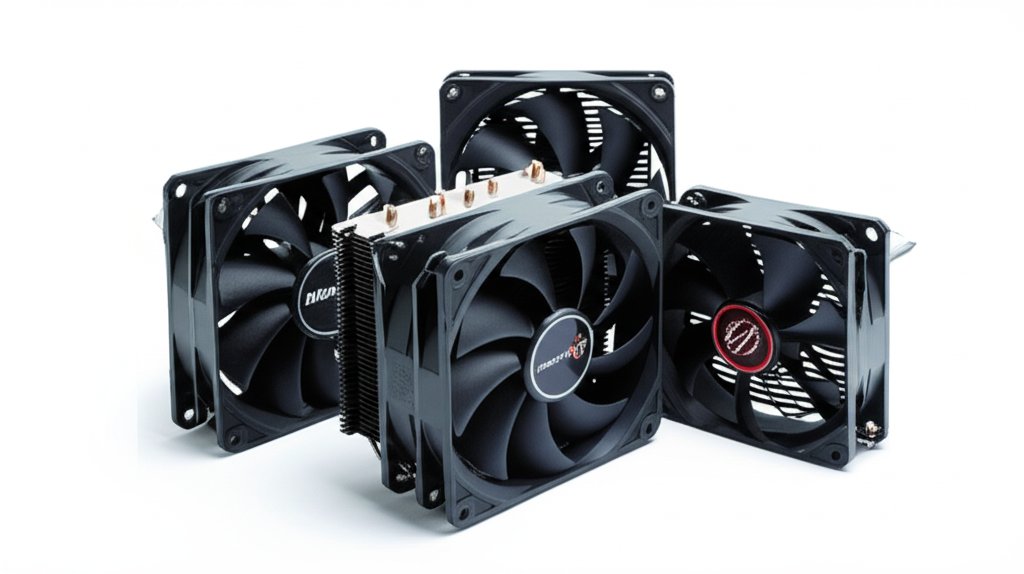
Complete cpu coolers buying guide. Learn what features matter, compare top products, and find the best cpu coolers for your budget.
View Top Picks →Table of Contents
CPU Coolers: Heat Management for Processor Performance
CPU coolers transfer heat from processors to air—essential because high temperatures cause throttling, instability, and reduced lifespan. Understanding cooler types, sizing, and noise levels helps choose cooling that matches processor power and noise preferences.
Why Cooling Matters
Thermal management fundamentals:
Heat = power consumption: Processors generate heat proportional to power draw.
Thermal throttling: CPUs reduce speed when too hot. Performance loss.
Long-term damage: Sustained high temperatures can degrade CPUs over years.
Stock coolers: Included coolers adequate for base specs, often insufficient for sustained loads.
The Thermalright Assassin X120 represents capable aftermarket cooling.
Air vs Liquid Cooling
Fundamental cooling approaches:
Air coolers: Heatsink + fan. Simple, reliable, no pump failure risk.
AIO liquid coolers: Sealed loop with radiator. Often better cooling, more complex.
Custom liquid loops: DIY liquid cooling. Maximum performance, maximum maintenance.
Most users: Quality air cooler handles everything except extreme overclocking.
Tower Cooler Basics
Standard air cooler design:
Heatsink: Metal tower with fins to dissipate heat.
Heat pipes: Transfer heat from CPU to heatsink fins.
Fan(s): Push or push-pull configuration. More fans = more cooling capacity.
Size concern: Tall towers may not fit in all cases.
Cooler Height and Case Clearance
Physical fit matters:
Measure case clearance: Check case specs for CPU cooler height limit.
Tower coolers: 120-165mm tall typically.
Low-profile coolers: Under 75mm for compact cases.
The X120 at 120mm: Compatible with most mid-tower and larger cases.
Socket Compatibility
Mounting varies by CPU:
Intel sockets: LGA 1700 (current), LGA 1200 (previous).
AMD sockets: AM5 (current), AM4 (previous).
Mounting hardware: Quality coolers include brackets for multiple sockets.
Verify before buying: Confirm cooler supports your motherboard socket.
TDP Ratings
Thermal Design Power matching:
CPU TDP: Rated heat output. 65W (efficient) to 253W (power-hungry).
Cooler TDP rating: Heat the cooler can handle.
Match or exceed: Cooler TDP should meet or exceed CPU TDP.
Overclock margin: Plan for higher heat if overclocking.
Fan Size and Noise
Cooling and acoustic balance:
120mm fans: Standard size. Balance of airflow and noise.
140mm fans: More airflow at lower RPM. Quieter for same cooling.
PWM control: Automatic speed adjustment based on temperature.
Noise levels: Under 25 dBA = quiet. Over 35 dBA = noticeable.
Case Fan Considerations
The ARCTIC P12 is a case fan, not CPU cooler:
Case fans: Move air through case. Don't directly cool CPU.
Airflow importance: Case fans bring cool air to CPU cooler.
Fan packs: The 5-pack for complete case airflow setup.
Not interchangeable: Case fans can't replace CPU coolers.
Thermal Paste
Heat transfer interface:
Included paste: Most coolers include pre-applied or tube of thermal paste.
Application: Thin, even layer between CPU and cooler.
Replacement: Reapply if removing and reinstalling cooler.
Quality matters: Premium paste marginally better but not critical.
Installation Tips
Successful mounting:
Even pressure: Tighten mounting screws evenly, in pattern.
Paste coverage: Should spread across CPU. Check by removing cooler briefly.
Fan orientation: Point toward exhaust. Check case airflow direction.
Cable management: Route fan cables cleanly.
Performance Expectations
What cooling changes:
Lower temperatures: Obvious benefit. Aim for under 80°C under load.
Consistent performance: No throttling during sustained workloads.
Potential for more: Headroom for overclocking or undervolting.
Noise reduction: Quality cooler often quieter than stock.
Common Mistakes
CPU cooler errors:
Forgetting thermal paste: Essential for heat transfer.
Not removing plastic: Pre-applied paste has protective film—remove it.
Wrong orientation: Fan should push air toward case exhaust.
Buying by name: Some popular coolers are overpriced for performance.
Practical Recommendations
For typical gaming PCs: 120mm tower cooler (Thermalright tier). Handles most CPUs quietly.
For high-power CPUs (i9, Ryzen 9): 140mm dual-tower or AIO. More thermal headroom.
For compact builds: Low-profile or AIO with slim radiator.
For silence priority: Larger, slower fans. Noctua NH-D15 class.
The key insight: aftermarket coolers dramatically improve over stock coolers in temperature and noise. Spending $30-50 on quality air cooling provides excellent value for most builds.
Frequently Asked Questions
CPU 쿨러를 구입할 때 무엇을 확인해야 합니까?
주요 요소에는 빌드 품질, 사용자 리뷰 및 가격 대비 가치가 있습니다. ThermalRight ThermalRight Assassin X120 Refined SE CPU Air Cool(1,405개 리뷰에서 4.7★)과 같은 최고 등급의 옵션은 이 범주에서 어떤 품질이 보이는지 보여줍니다.
CPU 쿨러의 비용은 일반적으로 얼마입니까?
가격은 $8에서 $280 사이이며 대부분의 품질 옵션은 $49입니다. $13 미만의 예산 옵션은 가끔 사용하는 데 사용되며 $74 이상의 프리미엄 모델은 더 나은 내구성과 기능을 제공합니다.
현재 가장 인기 있는 CPU 쿨러는 무엇입니까?
1,405개의 검증된 리뷰에서 현재 4.7%의 SECPU 에어 쿨러가 1위를 차지했습니다. 모든 상위 선택에 대한 /best/cpu-coolers에서 전체 비교를 확인하십시오.
⚖️ Quick Comparison
| Product | Price | Rating | Key Feature |
|---|---|---|---|
|
#1
|
$17.90 | Brand Overview - Thermalright is a reputable Taiwan brand with over 20 years in ... | |
| $8.49 | HIGH STATIC PRESSURE Efficient even with resistance – the generated airflow easi... | ||
|
#3
|
$35.90 | Brand Overview - Thermalright is a Taiwanese brand with over 20 years in the coo... |


