 PickPundit
📦 How to Choose the Best NAS Devices: Complete Buying Guide

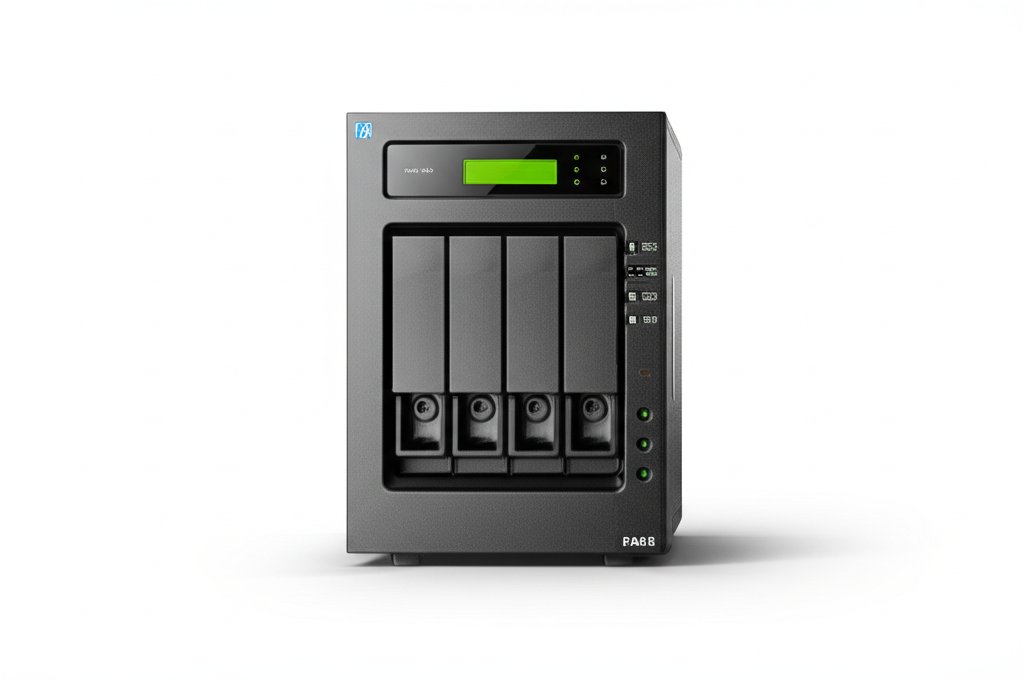
Complete nas devices buying guide. Learn what features matter, compare top products, and find the best nas devices for your budget.
View Top Picks →Table of Contents
NAS Devices: Network Storage Beyond External Hard Drives
Network Attached Storage (NAS) provides centralized file storage accessible from any device on your network—and often remotely. Understanding what separates NAS from external drives, and what different capacity levels offer, helps match storage solutions to actual needs.
What NAS Does Differently
NAS vs regular external storage:
Network access: Any device on network can access files. No direct connection required.
Multi-user access: Multiple people access simultaneously.
Always on: Runs continuously, available 24/7.
Remote access: Configure for secure access from anywhere.
Built-in software: Media serving, backup automation, file sync, and more.
The Synology DS223j represents entry-level NAS—2 bays for expandable storage with robust software.
Bay Count and Capacity
NAS units hold multiple drives:
2-bay systems: Entry level like DS223j. RAID 1 mirroring for redundancy or combined capacity.
4-bay systems: More storage, more flexibility. RAID 5/6 options.
6+ bay systems: Enterprise or power user territory.
Capacity math: Two 8TB drives = 8TB usable with RAID 1 (mirrored) or 16TB raw (JBOD/no redundancy).
RAID Explained Simply
Redundant Array of Independent Disks:
RAID 1 (Mirror): Each file on two drives. One drive fails, data survives. Half usable capacity.
RAID 5: Parity across drives. One drive can fail. Needs 3+ drives.
RAID 6: Two drives can fail. Needs 4+ drives.
SHR (Synology Hybrid RAID): Flexible, easier drive mixing.
No RAID: Maximum capacity, zero protection. Not recommended for important data.
NAS-Specific Hard Drives
Not all drives suit NAS use:
NAS-rated drives: WD Red, Seagate IronWolf designed for continuous operation and vibration.
Desktop drives: Cheaper but not rated for 24/7 operation. May fail prematurely.
SSD in NAS: Fast cache option. Some units support SSD caching or all-SSD operation.
DIY Raspberry Pi NAS
The Pironman 5-MAX represents DIY approach:
Advantages: Lower cost, educational, customizable.
Disadvantages: Less polished software, lower performance, more maintenance.
Use case: Hobbyists comfortable with Linux/configuration.
Comparison: Commercial NAS (Synology, QNAP) offers polish; DIY offers savings and learning.
NAS Software Features
What runs on NAS beyond storage:
Media server: Plex, Jellyfin—stream your media library.
Photo management: Synology Photos, Google Photos alternative.
Cloud sync: Sync with cloud services, or self-host cloud replacement.
Backup server: Time Machine, PC backup destination.
Docker support: Run containers for various services.
Performance Considerations
NAS speed factors:
Network speed: Gigabit Ethernet (1Gbps) limits most NAS. 10GbE for faster.
Processor: Stronger CPU helps transcoding, encryption, multi-tasking.
RAM: More memory improves multi-user performance, caching.
Drive speed: HDDs suit storage; SSD cache accelerates frequently accessed files.
Power Consumption
Always-on means continuous power:
Entry-level NAS: 15-30 watts typical.
Multi-bay systems: 30-60+ watts.
Annual cost: 25W × 24h × 365d = 219 kWh × $0.12 = ~$26/year.
Drive spin-down: Saves power when idle, but adds access delay.
Remote Access Options
Accessing NAS outside home network:
QuickConnect (Synology): Easy setup, through Synology servers.
VPN: More secure, requires router configuration.
DDNS: Custom domain pointing to home IP.
Cloud sync: Sync files to commercial cloud for access.
Backup Strategy
NAS isn't backup by itself:
NAS as backup destination: Good—centralized backup from multiple devices.
NAS needs backup too: RAID protects against drive failure, not theft, fire, ransomware.
3-2-1 rule: 3 copies, 2 media types, 1 offsite. NAS can be one copy.
Cloud backup: Synology C2, Backblaze B2—offsite backup for NAS contents.
Common NAS Uses
What people actually do:
Media library: Movies, music, photos accessible on all devices.
Time Machine destination: Mac backup over network.
File server: Shared documents for household or small office.
Surveillance: NVR for security cameras.
Personal cloud: Replace Dropbox/Google Drive with self-hosted.
Practical Recommendations
For beginners: Synology 2-bay (DS223j) with NAS-rated drives. Excellent software, reasonable entry point.
For tech hobbyists: DIY options (Pironman) for learning and customization.
For media enthusiasts: 4-bay system with transcoding capability for Plex.
For all users: Budget for proper NAS drives, not desktop drives.
The key insight: NAS provides centralized, always-available storage with features external drives can't match. But it requires understanding RAID isn't backup and NAS-rated drives matter for reliability.
Frequently Asked Questions
What should I look for when buying nas devices?
Key factors include build quality, user reviews, and value for money. Top-rated options like the SunFounder Pironman 5-MAX Dual NVMe M.2 SSD PCIe PC Case for (4.6★ from 299 reviews) demonstrate what quality looks like in this category.
How much do nas devices typically cost?
Prices range from $80 to $1020, with most quality options around $353. Budget options under $120 work for occasional use, while premium models over $530 offer better durability and features.
Which nas devices are most popular right now?
The Pironman 5-MAX Dual NVMe M.2 SSD PCIe PC Case for Raspberry is currently top-rated with 4.6★ from 299 verified reviews. Check our full comparison at /best/nas-devices for all top picks.
⚖️ Quick Comparison
| Product | Price | Rating | Key Feature |
|---|---|---|---|
|
#1
|
$94.99 | Raspberry Pi 5-MAX PC Case Unlock the full potential of your Raspberry Pi 5 with... | |
|
#2
|
$194.99 | Secure private cloud - Enjoy 100% data ownership and multi-platform access from ... | |
| $571.44 | Quad-core Intel Celeron N5105/N5095 4-core/4-thread burst up to 2.9 GHz with 8GB... |


