PickPundit
📦 Hoe de beste gamingmuizen te kiezen: complete koopgids

Complete gaming mice buying guide. Learn what features matter, compare top products, and find the best gaming mice for your budget.
View Top Picks →Table of Contents
Gaming Mice: Beyond DPI Marketing to What Matters
Gaming mouse marketing emphasizes DPI numbers that few players need while underemphasizing sensor quality, weight, and shape—factors that actually affect performance. Understanding what specifications genuinely matter helps cut through inflated claims.
DPI Demystified
Dots Per Inch explained:
What DPI means: How far cursor moves per inch of mouse movement. Higher DPI = more cursor movement per physical movement.
Useful range: Most players use 400-1600 DPI. Pro players often prefer lower DPI with larger arm movements.
16,000+ DPI claims: Marketing numbers. No one uses them. Above 2000-3000 rarely necessary.
What matters more: Sensor accuracy at your chosen DPI, not maximum theoretical DPI.
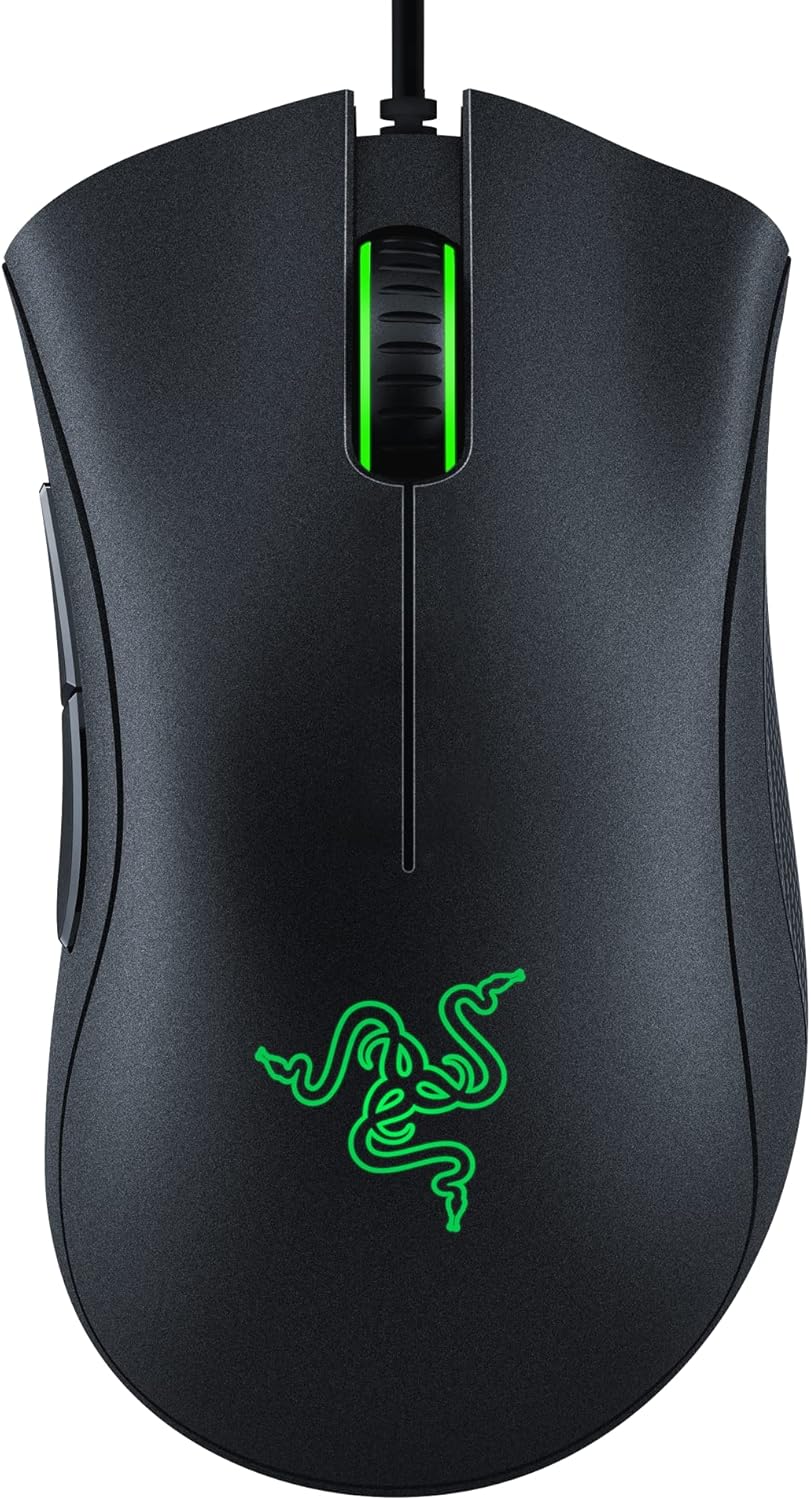
The Redragon M612 and Razer Basilisk V3 both offer DPI far beyond practical use—focus on other features.
Sensor Technology
The optical tracking heart:
Optical sensors: LED illumination tracks surface. Most modern gaming mice use optical.
Laser sensors: Work on more surfaces. Higher DPI potential but can have acceleration issues.
Sensor quality: Top sensors (PAW3395, HERO 25K, Focus Pro) provide flawless tracking.
Budget sensors: May have acceleration, jitter, or spin-out at high speeds.
Weight Considerations
Mouse weight affects different playstyles:
Lightweight (under 70g): Easier fast movements, preferred for FPS games. Less hand fatigue.
Medium (70-90g): Balanced feel. Good for various game types.
Heavy (90g+): Some prefer weight for precision. More control at slow speeds.
Honeycomb designs: Weight reduction through shell perforation. Polarizing aesthetically.
Shape and Grip Styles
How you hold mice matters:
Palm grip: Entire hand rests on mouse. Larger mice preferred. Most relaxed style.
Claw grip: Arched fingers, palm on mouse rear. Medium to small mice work well.
Fingertip grip: Only fingertips touch mouse. Smaller, lighter mice preferred. Maximum agility.
Ambidextrous: Symmetrical shape works for left and right hands.
Ergonomic: Right-handed contour like Razer Basilisk V3. Comfortable but right-hand only.
Button Configuration
Programmable inputs:
Primary buttons: Left and right click. Quality switches affect responsiveness and longevity.
Side buttons: Usually two, thumb-activated. Essential for most games.
DPI buttons: Quick sensitivity adjustment. Position varies by model.
Extra buttons: Some mice have 12+ buttons for MMO gaming.
Programmable software: Reassign buttons, create macros.
Wired vs Wireless
Connection trade-offs have shifted:
Wired advantages:
- No battery weight or charging
- Slightly lighter typically
- No latency concerns
- Lower cost
Modern wireless advantages:
- Latency now matches wired for premium mice
- No cable drag
- Cleaner setup
- Battery life measured in days/weeks
2.4GHz gaming wireless: Different from Bluetooth—lower latency, more reliable.
Cable Quality
For wired mice, cables matter:
Stiff cables: Create drag, affect mouse movement. Frustrating.
Paracord cables: Flexible, lightweight, minimal drag. Premium upgrade.
Cable bungee: Elevates cable to reduce drag. Workaround for stiff cables.
Switch Types
What's inside the buttons:
Mechanical switches: Traditional click. 50-80 million click lifespan typical.
Optical switches: Light-based actuation. Faster response, no double-click issues.
Switch feel: Personal preference between tactile feedback styles.
Durability: Both types last years with normal use.
Polling Rate
How often mouse reports position:
500Hz: Reports every 2ms. Older standard.
1000Hz: Reports every 1ms. Modern standard.
2000-8000Hz: Emerging high polling rates. Diminishing returns for most users.
Impact: Higher polling rates matter most for very competitive play.
Feet and Glide
Mouse feet affect movement:
PTFE feet: Smooth glide, standard on quality mice.
Stock vs aftermarket: Aftermarket feet (Tiger Arc, Hyperglides) often smoother.
Mousepad pairing: Different feet work better on different surfaces.
Replacement: Feet wear over time, can be replaced.
Software Dependency
Companion software considerations:
Onboard memory: Store settings on mouse, use on any computer.
Software required: Some features only work with software running.
Software quality: Razer Synapse, Logitech G Hub—quality varies.
Bloat concerns: Some software is heavy on resources.
Practical Recommendations
For FPS gaming: Lightweight mouse (under 80g), low latency, good sensor. Wired or quality wireless.
For MMO/MOBA: More buttons, comfortable shape for long sessions. Weight less critical.
For general gaming: Mid-range mouse with quality sensor, comfortable shape, programmable buttons.
For budget entry: Redragon M612 type provides quality basics affordably. Upgrade when preferences clarify.
The key insight: shape and weight affect your gaming more than DPI numbers. Try different shapes if possible—personal preference varies dramatically. A comfortable mouse you can control precisely beats an uncomfortable mouse with higher specifications.
Frequently Asked Questions
Waar moet ik op letten bij het kopen van gamingmuizen?
Belangrijke factoren zijn onder meer bouwkwaliteit, gebruikersrecensies en waar voor uw geld. Top-rated opties zoals de Redragon Redragon M612 Predator RGB Gaming Mouse (4.6 ★ van 9.554 beoordelingen) laten zien hoe kwaliteit eruitziet in deze categorie.
Hoeveel kosten gamingmuizen doorgaans?
Prijzen variëren van $ 8 tot $ 130, met de meeste kwaliteitsopties rond de $ 48. Budgetopties onder de $ 12 werken voor incidenteel gebruik, terwijl premiummodellen van meer dan $ 72 betere duurzaamheid en functies bieden.
Welke gamingmuizen zijn op dit moment het populairst?
De Redragon M612 Predator RGB Gaming Mouse is momenteel best beoordeeld met 4,6 van 9.554 geverifieerde beoordelingen. Bekijk onze volledige vergelijking op /best/gaming-mice voor alle topkeuzes.
⚖️ Quick Comparison
| Product | Price | Rating | Key Feature |
|---|---|---|---|
| $14.24 | Pentakill, 5 DPI Levels - Geared with 5 redefinable DPI levels (default as 500/1... | ||
| $34.99 | ICONIC ERGONOMIC DESIGN WITH THUMB REST — PC gaming mouse favored by millions wo... | ||
| $16.98 | HIGH-PRECISION 6,400 DPI OPTICAL SENSOR — Offers on-the-fly sensitivity adjustme... |