 PickPundit
📦 Jak wybrać najlepsze ramiona monitora: Kompletny przewodnik zakupu

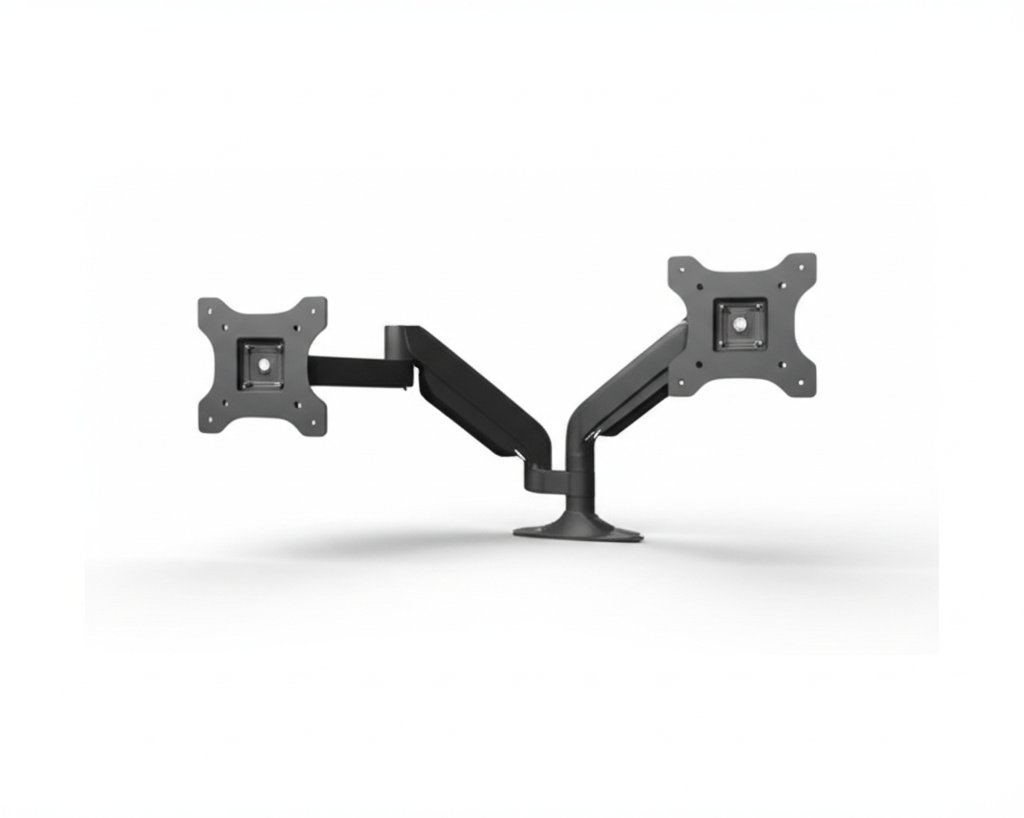
Complete monitor arms buying guide. Learn what features matter, compare top products, and find the best monitor arms for your budget.
View Top Picks →Table of Contents
Monitor Arms: Ergonomic Screen Positioning and Desk Space Recovery
Monitor arms lift screens off desks, recovering surface space while enabling precise ergonomic positioning. Understanding weight capacity, mounting options, and adjustment ranges helps choose arms that actually support your monitor and workspace needs.
Why Monitor Arms Matter
Benefits of arm-mounted displays:
Ergonomic positioning: Perfect height, distance, and angle for each user.
Desk space: Entire area under monitor becomes usable.
Flexibility: Easily adjust, share screens, push aside when needed.
Multi-monitor setups: Stack, side-by-side, or angled configurations.
The VIVO Heavy Duty and HumanCentric adapters serve different monitor mounting needs.
VESA Compatibility
The mounting standard:
VESA pattern: Hole spacing on monitor back. 75x75mm and 100x100mm common. 200x200mm for larger monitors.
Compatibility check: Verify both monitor and arm support same VESA pattern.
VESA adapters: The HumanCentric adapter helps monitors without standard mounting.
Non-VESA monitors: Some monitors lack VESA holes. Adapters add capability.
Weight Capacity
Critical specification often misunderstood:
Rated capacity: Maximum weight arm can hold. VIVO "Heavy Duty" emphasizes high capacity.
Safety margin: Your monitor should be well under maximum—70-80% of rated capacity for smooth adjustment.
Arm struggle: Underpowered arms can't hold position, drift downward, or resist adjustment.
Ultrawide considerations: Wide monitors may weigh 25-40+ lbs. Verify capacity before purchase.
Mounting Options
How arms attach to desks:
Clamp mount: Squeezes onto desk edge. Easy installation, no drilling. Most common.
Grommet mount: Through-hole with bolt. Sturdier but requires hole in desk.
Wall mount: Attaches to wall. Maximum desk space, requires wall drilling.
Freestanding: Weighted base sits on desk. No attachment, less stable.
Adjustment Types
How arms move:
Height adjustment: Up/down positioning. Spring or gas cylinder assisted.
Extension/retraction: Forward/backward movement.
Tilt: Screen angle adjustment.
Rotation: Portrait/landscape orientation.
Swivel: Side to side at mounting point.
Full articulation: All movements available. Most flexible.
Gas Spring vs Mechanical
Arm mechanism types:
Gas spring (pneumatic): Smooth adjustment, counterbalanced movement. Adjusts to monitor weight.
Mechanical (fixed spring): Preset tension. May not perfectly balance specific monitors.
Tension adjustment: Most gas spring arms allow tension adjustment for your monitor's exact weight.
Single vs Dual Arms
Configuration options:
Single arm: One monitor mount. Simplest, works for most.
Dual arm (shared pole): Two monitors from single desk attachment.
Dual arm (separate): Independent arms for each monitor.
Dual considerations: Verify combined weight capacity, desk clamp strength.
Desk Compatibility
Not all desks work equally:
Desk thickness: Clamps have min/max thickness range. Verify your desk fits.
Desk edge access: Need clearance behind desk for some mounts.
Glass desks: Require special adapters or won't work.
Thin desks: May need reinforcement plate to prevent damage.
Cable Management
Keeping wires organized:
Integrated channels: Cables route through arm for clean appearance.
Clips and guides: Attachment points for cable bundling.
Arm movement: Ensure cable length accommodates full range of motion.
Build Quality Indicators
What indicates durability:
Material: Aluminum arms lighter and often sturdier than plastic.
Joint quality: Smooth movement without play or wobble.
Clamp construction: Metal clamp with good pads vs plastic.
Warranty: 3-10 year warranties indicate manufacturer confidence.
Common Installation Issues
What can go wrong:
Monitor too heavy: Arm won't hold position or won't lift.
VESA incompatibility: Holes don't line up.
Desk too thick/thin: Clamp doesn't fit.
Cable length: Existing cables too short for arm positioning.
Tension issues: Monitor drifts or is hard to move.
Ergonomic Positioning Guidelines
Where to place your monitor:
Height: Top of screen at or slightly below eye level.
Distance: Arm's length away (20-28 inches typically).
Tilt: Slight backward tilt reduces neck strain.
Glare: Position to avoid window reflections.
Price vs Quality
What different prices buy:
Under $30: Basic functionality, questionable durability.
$30-75: Quality for standard monitors. Most users' sweet spot.
$75-150: Premium build, higher weight capacity, smoother adjustment.
$150+: Professional or specialized use. Multiple monitors or heavy displays.
Practical Recommendations
For single standard monitor (under 30 lbs): Mid-range gas spring arm around $40-70. Smooth adjustment, good range.
For heavy monitors: VIVO Heavy Duty or equivalent with 30+ lb capacity.
For non-VESA monitors: HumanCentric adapter plus appropriate arm.
For dual monitors: Dual arm mount or two singles depending on desk and positioning needs.
The key insight: monitor arms should match your specific monitor weight and desk. Underpowered arms frustrate endlessly. Properly matched arms provide years of ergonomic flexibility—worth the research investment before purchase.
Frequently Asked Questions
Na co zwrócić uwagę przy zakupie ramion monitora?
Kluczowe czynniki to jakość wykonania, recenzje użytkowników i stosunek jakości do ceny. Najwyżej oceniane opcje, takie jak wytrzymałe ramię napinające Vivo Heavy Duty z pojedynczym monitorem dla UP (4,4★ z 2067 recenzji) pokazują, jak wygląda jakość w tej kategorii.
Ile zazwyczaj kosztują ramiona monitorujące?
Ceny wahają się od 13 do 145 USD, a większość opcji jakości około 40 USD. Opcje budżetowe poniżej 19 USD działają do okazjonalnego użytku, podczas gdy modele premium powyżej 60 USD oferują lepszą trwałość i funkcje.
Które ramiona monitora są obecnie najpopularniejsze?
Ramka napinająca z pojedynczym monitorem Vivo Heavy Duty do 27 cali jest obecnie najwyżej oceniana z 4,4★ z 2067 zweryfikowanych recenzji. Sprawdź nasze pełne porównanie na /best/monitor-arms dla wszystkich najlepszych typów.
⚖️ Quick Comparison
| Product | Price | Rating | Key Feature |
|---|---|---|---|
| $39.99 | Fits Standard Size Screens Single mount for monitors 17” to 27” in size and up t... | ||
|
#2
|
$19.99 | Fits certain HP Pavilion monitors This bracket is only tested and guaranteed to ... | |
| $30.99 | Application Fits most flat panel monitor up to 32” and supports weight up to 22l... |


