PickPundit
📦 Как выбрать лучший монитор до 200 долларов: Полное руководство по покупке

Complete monitor under $200 buying guide. Learn what features matter, compare top products, and find the best monitor under $200 for your budget.
View Top Picks →Table of Contents
Monitors Under $200: Quality Displays for Work and Gaming
The $150-200 monitor range offers quality displays with comprehensive features. Understanding options helps select appropriate monitors for various needs.
Feature Improvements
27-inch sizes common at 1080p.
1440p emerging at 24-27 inches.
144Hz+ refresh for gaming.
Better stand adjustability standard.
Size and Resolution Balance
24-inch 1080p: sharp, ideal density.
27-inch 1080p: larger but softer.
27-inch 1440p: excellent balance (upper range).
Consider sharpness preferences.
1440p Options
More pixels, sharper text and images.
Better for productivity and content.
Requires more GPU power for gaming.
Worthwhile upgrade when available.
Gaming Monitor Quality
144Hz standard for gaming models.
165Hz and 180Hz available.
1ms response times common.
Adaptive sync (FreeSync/G-Sync compatible).
IPS vs VA at This Price
IPS: better color, viewing angles.
VA: deeper blacks, higher contrast.
Both good options at this price.
Match to content preferences.
Stand Quality
Full ergonomic adjustment more common.
Height, tilt, swivel, pivot.
Reduces need for aftermarket arms.
Quality stands improve experience.
Professional Use Viability
Better color accuracy.
sRGB and some DCI-P3 coverage.
Adequate for amateur creative work.
Still not color-critical professional level.
Connectivity Standard
HDMI and DisplayPort expected.
USB hub on some models.
USB-C on select models.
Better connectivity options.
Curved Display Options
Quality curved monitors available.
1500R or 1800R curvature.
Immersive gaming experience.
Personal preference determines value.
HDR Considerations
HDR labels at this price misleading.
True HDR requires brightness this range can't deliver.
Don't pay premium for "HDR" claims.
Focus on core panel quality.
Build Quality
Improved materials and construction.
Better stability and durability.
Thinner bezels for cleaner looks.
Quality improvement noticeable.
Practical Recommendations
For productivity, 27-inch 1440p monitors ($180-200) provide excellent clarity.
For gaming, 27-inch 165Hz monitors ($150-200) deliver smooth performance.
IPS panels provide best overall experience for mixed use.
This price range offers substantial quality improvements over budget options.
Frequently Asked Questions
На что следует обратить внимание при покупке монитора под 200?
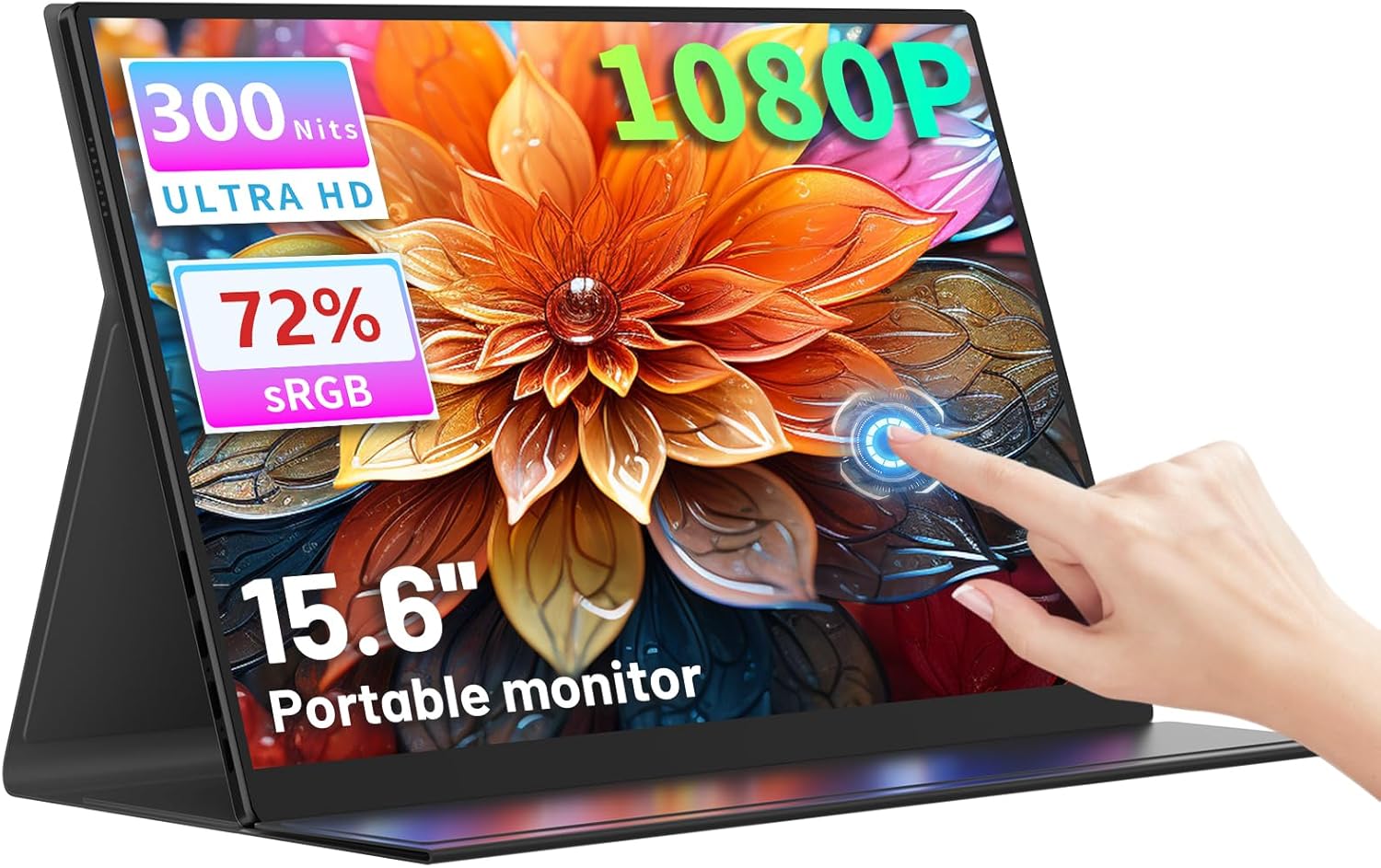
Ключевые факторы включают качество сборки, отзывы пользователей и соотношение цены и качества. Лучшие опции, такие как портативный сенсорный монитор Sibolan 15,6 дюйма FHD 1080p (4,2★ из 19 отзывов), демонстрируют, как выглядит качество в этой категории.
Сколько обычно стоит монитор до 200?
Цены варьируются от 60 до 269 долларов, при этом большинство качественных вариантов около 103 долларов США. Бюджетные варианты стоимостью менее 90 долларов США работают для случайного использования, а модели премиум-класса стоимостью более 155 долларов предлагают лучшую долговечность и функции.
Какой монитор под 200 сейчас наиболее популярен?
15,6-дюймовый портативный сенсорный монитор FHD 1080P в настоящее время имеет самый высокий рейтинг с 4,2★ из 19 проверенных отзывов. Проверьте наше полное сравнение по адресу /best/monitor-Un-200 для всех лучших вариантов.