PickPundit
📺 How to Choose the Best Streaming Media Players: Complete Buying Guide

Complete streaming media players buying guide. Learn what features matter, compare top products, and find the best streaming media players for your budget.
View Top Picks →Table of Contents
Streaming Media Players: Converting Any TV to Smart TV
Streaming devices connect TVs to Netflix, YouTube, and hundreds of apps—transforming older TVs or bypassing clunky built-in smart TV software. Understanding ecosystem differences and hardware capabilities helps choose devices that match viewing habits.
Why External Streaming Devices
Even smart TVs benefit:
Better interface: Streaming devices often have smoother, faster interfaces than built-in TV software.
Longer support: TV software updates stop; external devices continue receiving updates.
Portability: Take device to hotel, new TV, friend's house.
Ecosystem preference: Match your other devices (Alexa, Google, Apple).
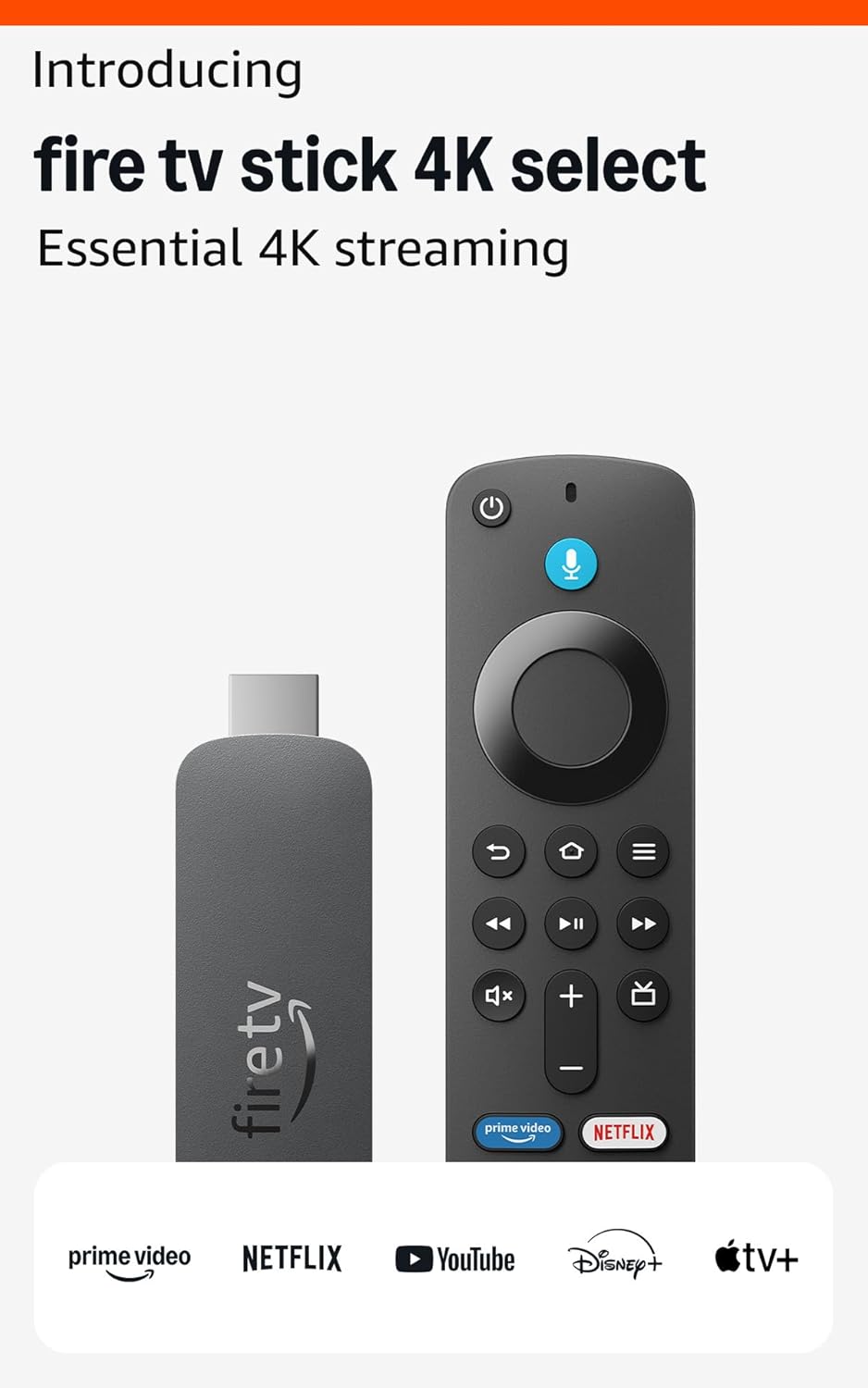
The Amazon Fire TV Stick 4K represents excellent value in streaming hardware.
Streaming Stick vs Box
Form factor differences:
Sticks (Fire TV Stick): Compact, plug into HDMI, powered by USB. Portable, affordable.
Boxes (Apple TV, Nvidia Shield): Larger, more powerful. Better for gaming, high-end use.
Performance difference: Boxes generally faster, more storage, better for demanding apps.
Price difference: Sticks $30-50, boxes $100-200+.
4K and HDR Support
Video quality capabilities:
4K resolution: 3840×2160 pixels. Requires 4K TV to benefit.
HDR (High Dynamic Range): Better contrast, brighter highlights, more colors.
HDR formats: HDR10 (universal), HDR10+ (Samsung), Dolby Vision (premium).
Fire TV Stick 4K: Supports 4K, HDR10, HDR10+, some Dolby Vision.
Fire TV Stick 4K vs Max
Amazon's lineup explained:
4K Select: Entry 4K streaming, ambient experience features.
4K Max: Faster processor, WiFi 6E, better for gaming and demanding apps.
Which to choose: Max for heavy users, Select adequate for most viewers.
Ecosystem Lock-in
Platform considerations:
Amazon Fire TV: Alexa integration, Amazon Prime prioritized.
Roku: Neutral platform, all services equal, ad-supported interface.
Apple TV: Apple ecosystem integration, premium pricing.
Google Chromecast: Google integration, cast-first design.
Content access: All major services (Netflix, Disney+, etc.) work on all platforms.
Voice Control
Speaking to your TV:
Alexa (Fire TV): "Alexa, play Stranger Things"—integrates with smart home.
Google Assistant (Chromecast): Google ecosystem integration.
Siri (Apple TV): Apple ecosystem commands.
Usefulness: Voice search across apps genuinely convenient. Smart home control bonus.
WiFi Performance
Network matters for streaming:
WiFi 5: Standard, adequate for 4K streaming.
WiFi 6/6E: Better in congested networks, future-proofing.
Ethernet option: Some devices offer ethernet adapters for reliability.
Bandwidth needs: 4K streaming requires 25+ Mbps. HDR needs more.
Storage Limitations
App and download capacity:
8GB storage: Sticks typically. Limits installed apps.
16-32GB: Boxes offer more. Important for gaming or many apps.
Expandable storage: Some devices support USB storage expansion.
Cloud reality: Most content streams; storage matters less than it seems.
Gaming Capability
Beyond streaming:
Casual games: Most streaming devices handle simple games.
Cloud gaming: Luna, Xbox Cloud Gaming work on Fire TV.
Serious gaming: Nvidia Shield for local gaming capability.
Controller support: Bluetooth controller connection on most devices.
Private Listening
Headphone features:
Mobile app pairing: Use phone for private audio.
Bluetooth headphones: Pair directly to device for silent viewing.
Remote with headphone jack: Some premium remotes include audio out.
Ads and Interface
What you see daily:
Fire TV: Amazon content promoted. Ads on home screen.
Roku: Ads in interface, neutral content promotion.
Apple TV: Cleaner interface, premium feel, premium price.
Trade-off: Lower-cost devices subsidized by advertising.
Price vs Performance
What different prices buy:
$30-40: 4K streaming sticks. Great value for most users.
$50-60: Premium sticks (4K Max). Faster, WiFi 6E.
$100-150: Streaming boxes. More power, storage, features.
$180+: Apple TV, Nvidia Shield. Premium quality and ecosystem.
Practical Recommendations
For most users: Fire TV Stick 4K or Roku equivalent. Excellent streaming at low cost.
For Alexa households: Fire TV Stick integrates naturally with existing Alexa devices.
For Apple households: Apple TV 4K for seamless ecosystem.
For gamers: Nvidia Shield for cloud and local gaming capabilities.
For older TVs: Any streaming stick instantly adds smart features.
The key insight: streaming devices are mature—even entry-level options provide excellent 4K streaming. Choose based on ecosystem preference and special features (gaming, voice assistant) rather than basic streaming capability.
Frequently Asked Questions
What should I look for when buying streaming media players?
Key factors include build quality, user reviews, and value for money. Top-rated options like the Amazon Amazon Fire TV Stick 4K Select (newest model) (3.8★ from 1,189 reviews) demonstrate what quality looks like in this category.
How much do streaming media players typically cost?
Prices range from $20 to $169, with most quality options around $52. Budget options under $30 work for occasional use, while premium models over $78 offer better durability and features.
Which streaming media players are most popular right now?
The Amazon Fire TV Stick 4K Select (newest model) is currently top-rated with 3.8★ from 1,189 verified reviews. Check our full comparison at /best/streaming-media-players for all top picks.
⚖️ Quick Comparison
| Product | Price | Rating | Key Feature |
|---|---|---|---|
| $19.99 | Essential 4K streaming – Start streaming in brilliant 4K Ultra HD with HDR10+. A... | ||
| $39.99 | Elevate your entertainment experience with a powerful processor for lightning-fa... | ||
| $109.99 | Our fastest-ever streaming media player - Brings lightning-fast app starts with ... |
🏆 Top Streaming Media Players We Recommend