 PickPundit
🏷️ How to Choose the Best Label Makers: Complete Buying Guide

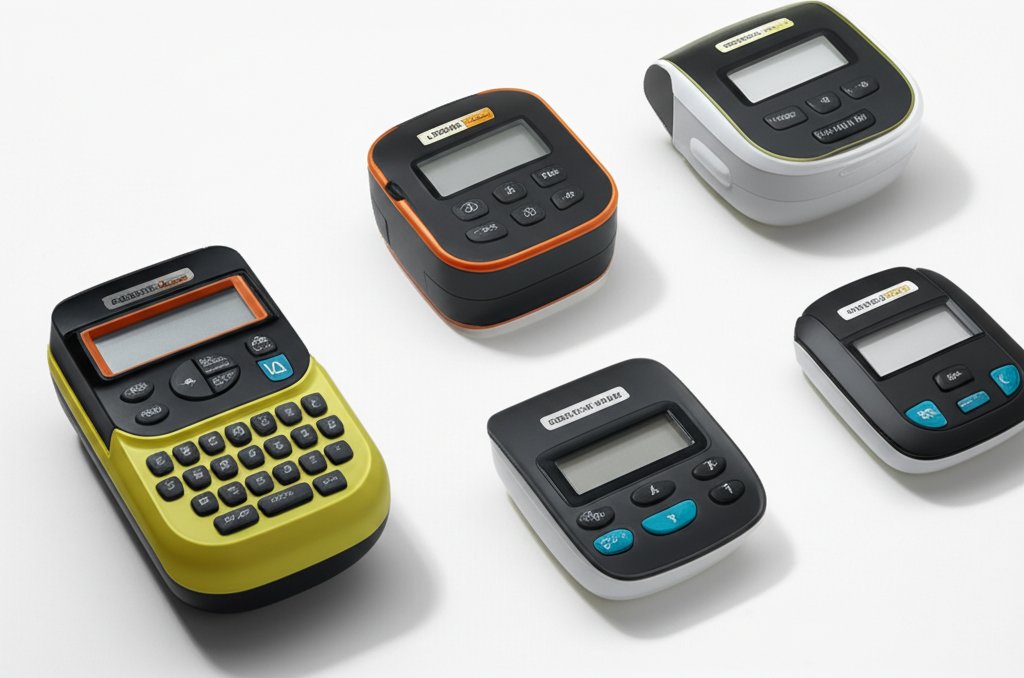
Complete label makers buying guide. Learn what features matter, compare top products, and find the best label makers for your budget.
View Top Picks →Table of Contents
Label Makers: The Thermal vs Laminated Label Decision
Label makers divide into two fundamental technologies: thermal printers using heat-sensitive paper, and transfer printers creating laminated labels on specialized tape. This distinction determines label durability, ongoing costs, and appropriate applications.
Understanding which technology suits your labeling needs prevents mismatched purchases.
Thermal Label Makers
Modern smartphone-connected label makers like the Nelko P21 at $17 use thermal printing—applying heat to specially coated paper that darkens where heated.
Thermal label advantages:
- Lower device cost (simpler mechanisms)
- Quiet operation
- Smartphone app control with extensive templates
- Often more compact form factors
Thermal label limitations:
- Labels fade over time, especially in sunlight or heat
- Paper-based labels less durable than laminated alternatives
- Label rolls may cost more per label despite lower device cost
For temporary labels, organizational labels in controlled environments, and casual home use, thermal labels serve adequately. For labels needing long-term durability or harsh condition resistance, thermal labels fall short.
Laminated Label Makers (P-Touch Style)
Brother P-Touch devices (like the PTH110 at $65 or PTD220 at $45) use TZe tape technology—printed text laminated under clear protective coating.
Laminated label advantages:
- Exceptional durability (water, UV, temperature resistant)
- Text protected from wear, smearing, fading
- Industrial-grade labels for professional applications
- Long-term readability (years to decades)
Laminated label limitations:
- Higher device cost
- Higher tape cost ($15-25 per tape cassette)
- Larger, more mechanical devices
- Replacement tape only from compatible manufacturers
For professional labeling, industrial environments, outdoor use, or anywhere labels must last, laminated labels justify their premium.
The Tape Cost Consideration
Label maker economics extend beyond device purchase to ongoing consumable costs:
Thermal labels: Paper roll refills at $10-20 may seem economical but cost per label varies significantly by roll size and brand.
Laminated tape: Brand-name TZe tape at $20-25 per cassette seems expensive, but each cassette produces many labels. Third-party compatible tape at $8-12 reduces ongoing costs.
For high-volume labeling, laminated tape per-label cost may actually be competitive despite higher upfront costs. For occasional labeling, thermal's lower device cost may make sense despite slightly higher consumable costs.
Smartphone vs Standalone
Label makers increasingly connect to smartphones for design and printing:
Smartphone-connected advantages:
- Extensive templates and design options
- Full keyboard input without tiny buttons
- Photo and graphic incorporation on some models
- App updates add features over time
Standalone advantages:
- Immediate use without phone dependency
- Simpler operation for basic labels
- No app navigation required
- Works for users without smartphones
The Nelko P21 at $17 exemplifies smartphone-connected approach; the Brother P-Touch standalone devices operate independently.
For occasional, simple labels, standalone devices provide faster access. For designed labels or extensive labeling sessions, smartphone connection improves the experience.
Label Width Options
Label makers support specific tape widths:
- Narrow (6-9mm): Small labels for cables, files
- Standard (12mm): General purpose, most common
- Wide (18-24mm): High-visibility labels, signage
- Extra wide (36mm+): Large format, industrial applications
Some devices support multiple widths (swapping tape cassettes); others support only specific widths. Consider your labeling needs—cable organization needs narrow labels; shelf labeling may need wide labels for visibility.
QWERTY vs Alphabetic Keyboards
Standalone label makers use either QWERTY layouts (matching computer keyboards) or alphabetic layouts (A-B-C ordering):
QWERTY advantages for those who type regularly—muscle memory applies. Alphabetic layouts may suit those who rarely type or find QWERTY confusing.
The Brother PTD220 uses QWERTY; basic models may use alphabetic. For frequent text entry, QWERTY improves speed significantly.
Bundle Value Analysis
Label maker bundles (like the PTH110BP at $65 with four label tapes) often provide better value than separate purchases:
- Device plus several tapes at package pricing
- Initial tape supply for immediate use
- Bundled tape often matches common needs
The bundle premium may be minimal compared to buying device and tape separately. Calculate total value including consumables.
Professional vs Home Use
Labeling needs vary dramatically:
Home organization: Occasional labels for storage bins, pantry, files. Budget thermal or basic laminated devices suffice.
Small business: Regular labeling for inventory, products, shipping. Durability and efficiency matter more—laminated devices justify investment.
Industrial/professional: Daily heavy-use labeling. Premium laminated devices with durability features and fast printing suit this intensity.
Match device capability to actual use intensity. Over-buying for casual home use wastes money; under-buying for professional use creates frustration and inadequate results.
Barcode and Special Printing
Advanced label makers print barcodes, QR codes, and special formats:
- Product identification for small businesses
- Inventory tracking systems
- Asset management labeling
Basic devices print only text and simple graphics. If barcode capability matters, verify support before purchasing.
Practical Recommendations
For home organization: Thermal smartphone-connected devices at $15-25 provide adequate labels for controlled indoor environments.
For durable labeling needs: Brother P-Touch laminated devices at $45-65 produce labels lasting years under various conditions.
For cable labeling specifically: Narrow laminated labels wrap cables securely; thermal labels may not adhere well to cable surfaces.
For business use: Consider long-term tape costs and durability needs. Laminated labels' professional appearance and durability often justify premium in business contexts.
For budget priority: Basic thermal devices minimize upfront cost but consider total cost including replacement labels for fair comparison to laminated alternatives.
Frequently Asked Questions
What should I look for when buying label makers?
Key factors include build quality, user reviews, and value for money. Top-rated options like the Brother Brother P-Touch (4.6★ from 15,042 reviews) demonstrate what quality looks like in this category.
How much do label makers typically cost?
Prices range from $15 to $115, with most quality options around $42. Budget options under $22 work for occasional use, while premium models over $63 offer better durability and features.
Which label makers are most popular right now?
The Brother P-Touch is currently top-rated with 4.6★ from 15,042 verified reviews. Check our full comparison at /best/label-makers for all top picks.


