 PickPundit

Complete laptop stands buying guide. Learn what features matter, compare top products, and find the best laptop stands for your budget.
View Top Picks →Table of Contents
Laptop Stands: Ergonomics, Cooling, and Workspace Organization
Laptop stands solve multiple problems—raising screens to eye level, improving airflow for cooling, and organizing workspace. Understanding which problem you're actually solving helps choose stands that address your needs rather than adding clutter.
The Ergonomic Problem
Why laptop position matters:
Screen height: Laptop screens sit too low for proper neck posture. Looking down strains neck.
Keyboard position: Raised laptop means reaching up to type—trades neck problem for wrist problem.
The solution: Raise laptop for viewing, add external keyboard and mouse for input.
Minimum effective height: Top of screen at or slightly below eye level.
The BESIGN LS03 aluminum stand and adjustable stands address height, but keyboard positioning requires separate solution.
Stand Types
Different designs serve different purposes:
Fixed riser stands: Set height, simple design. BESIGN type.
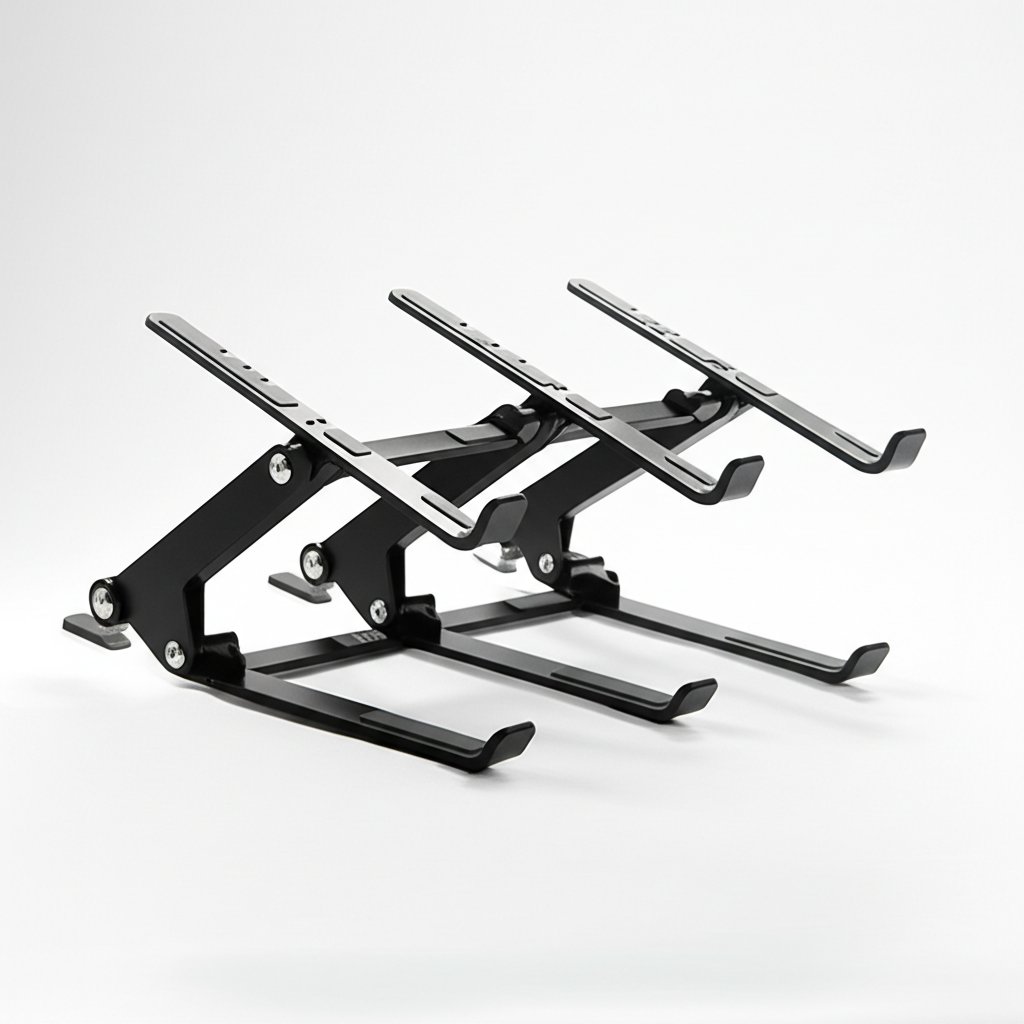
Adjustable stands: Variable height/angle. The adjustable computer stand.
Vertical stands: Hold laptop closed for desktop use with external display.
Lap desks: Portable, cushioned for couch/bed use.
Cooling stands: Prioritize airflow with integrated fans.
Material and Build Quality
Construction affects durability and aesthetics:
Aluminum: Premium feel, good heat dissipation, fingerprint-prone. BESIGN uses aluminum.
Plastic: Lighter, cheaper, varies in quality.
Wood/bamboo: Natural aesthetic, less heat conductive.
Steel: Heavy, durable, can feel industrial.
Adjustability Range
What adjustable stands offer:
Height adjustment: Match various desk heights and seated positions.
Angle adjustment: Tilt screen for optimal viewing.
Rotation: Less common, useful for showing screen to others.
Folding design: Portability for travel or storage.
Cooling Considerations
Airflow affects laptop performance:
Elevation itself helps: Raising laptop bottom from desk improves natural airflow.
Open designs: Mesh, bars, or cutouts allow air circulation.
Built-in fans: Active cooling for gaming laptops or intense workloads.
Fan noise: Active cooling adds noise. Consider whether necessary.
Stability Requirements
Stand must support laptop securely:
Weight capacity: Ensure stand holds your laptop plus any pressure from typing.
Rubber feet: Prevent stand from sliding on desk.
Laptop grip: Hooks or pads prevent laptop from sliding off stand.
Typing stability: If typing on raised laptop, stand must not wobble.
Cable Management
Dealing with laptop cables:
Routing channels: Some stands include cable guides.
Dock integration: Stands that include USB hubs or docking.
Clearance: Space underneath for cables, docks, accessories.
Portability Trade-offs
Travel-friendly options:
Collapsible designs: Fold flat for bag transport.
Weight: Aluminum lighter than steel, plastic lightest.
Dedicated travel stands: Ultra-portable but less stable.
Fixed stands: Best stability, not meant for travel.
Monitor Arm Compatibility
Some users prefer monitor arms for laptops:
VESA adapters: Attach laptop to monitor arm.
Tray adapters: Platform on monitor arm for laptop.
Dual-screen setups: Laptop plus external monitor on arms.
Desk Space Impact
How stands affect workspace:
Footprint: Some stands take more desk space than laptop alone.
Vertical organization: Raising laptop creates space underneath.
External input devices: Keyboard and mouse need desk space.
Net effect: Usually neutral or positive for organization.
With vs Without External Keyboard
Usage pattern affects stand choice:
With external keyboard: Higher stands work well. Optimal ergonomics.
Typing on laptop keyboard: Lower stands only. High stands require reaching up.
Hybrid use: Adjustable stands offer flexibility.
Health Benefits
Why ergonomics matter:
Neck strain reduction: Proper screen height prevents forward head posture.
Back improvement: Better posture reduces back strain.
Eye comfort: Screen at right height and angle reduces eye fatigue.
Long-term value: Prevention is easier than treating repetitive strain.
Price and Value
What different prices buy:
Under $20: Basic function, adequate for occasional use.
$20-50: Quality construction, good adjustability. Sweet spot for most users.
$50+: Premium materials, advanced features, aesthetic focus.
Practical Recommendations
For home desk (with external keyboard): Fixed aluminum stand like BESIGN. Simple, stable, professional appearance.
For variable positions: Adjustable stand with good height range.
For gaming laptops: Consider cooling-focused stands with active fans.
For travel: Collapsible portable stand, accept stability compromises.
For minimal investment: Any elevation helps. Even a book under the back edge improves viewing angle.
The key insight: laptop stands provide most benefit when paired with external keyboard and mouse. Raised laptop plus external input devices equals proper ergonomics. Raised laptop alone just moves the problem from neck to wrists.
Frequently Asked Questions
노트북 스탠드를 구입할 때 무엇을 확인해야 합니까?
주요 요소에는 빌드 품질, 사용자 리뷰 및 가격 대비 가치가 있습니다. Desk용 Joyeky 노트북 스탠드(4.7★ 리뷰 2,563개)와 같은 최고 등급의 옵션은 이 카테고리에서 어떤 품질이 보이는지 보여줍니다.
노트북 스탠드의 비용은 일반적으로 얼마입니까?
가격은 $10에서 $50 사이이며 대부분의 품질 옵션은 $26입니다. $15 미만의 예산 옵션은 가끔 사용하는 데 사용되며 $39 이상의 프리미엄 모델은 더 나은 내구성과 기능을 제공합니다.
현재 가장 인기 있는 노트북 스탠드는 무엇입니까?
2,563개의 검증된 리뷰에서 현재 4.7의 책상용 노트북 스탠드가 최고 등급입니다. 모든 상위 선택에 대한 /best/노트북 스탠드에서 전체 비교를 확인하십시오.
⚖️ Quick Comparison
| Product | Price | Rating | Key Feature |
|---|---|---|---|
| $35.98 | Stable And Durable - Made of high-quality aluminum alloy, supports up to 11 lbs ... | ||
| $14.24 | Broad Compatibility Besign LS03 Laptop Stand is compatible with all laptops from... | ||
| Check Price | See details |


